
OKX is a platform offering spot and derivatives trading, automated trading, Earn, and Web3 wallet features, but the same products are not available in every country or account. Before signing up, check regional eligibility, actual fees, deposit and withdrawal conditions, and security.
OKX at a Glance
- As of October 23, 2026, the spot examples in the official fee FAQ were Maker 0.08% and Taker 0.10%, while the futures examples were Maker 0.02% and Taker 0.05%. These are not fixed rates for every account; the fee schedule shown after logging in takes precedence. Official fee FAQ
- KYC, security settings, and product eligibility are separate matters. Even under the same brand, the applicable legal entity and available products vary by region. Official Terms of Service
- For deposits and withdrawals, check the asset, network, full address, and any required tag together. Name verification between service providers and support conditions also apply separately. The detailed process is explained in Chapter 5.
- Futures costs may be calculated based on the contract's trading value rather than the margin, and in addition to trading fees, you should consider funding fees and liquidation risk. Official calculation example
- The Proof of Reserves page viewed on October 23, 2026, lists $29.4 billion in major assets for the 48th report. PoR is not a full financial audit, deposit insurance, or a guarantee against losses. Proof of Reserves
- For referrals and new-user rewards, check the eligibility, period, deposit, and trading conditions shown on the current sign-up page. No specific discount rate or fixed reward is promised to every account.
Past withdrawal suspensions, regulatory events, and limitations in their interpretation are distinguished in Chapter 7 timeline.
Updated and reverified: October 23, 2026. We compared the publicly available terms in official documents with the sources below. This does not mean that we verified the fees or benefits applicable to actual accounts, or personally tested trading. Editorial responsibility: CoinPop Editorial Team. Author and editorial responsibility information (English).
Official information sources: Fees · KYC · Reserves · Terms of Service. Affiliate relationships and conditions associated with the sign-up route are disclosed in the final chapter.
1. OKX Overview, Services, and Corporate Structure
OKX is a global cryptocurrency platform offering a range of cryptocurrency trading features, including spot, perpetual futures, futures, and options, as well as Trading Bot, API, Earn, and Web3 Wallet.
Rather than focusing solely on the number of tradable coins, one of OKX's key features is its combination of Unified Account, advanced margin system, automated trading features, Web3 ecosystem, and Proof of Reserves.
For traders who use multiple markets simultaneously, being able to manage spot and derivatives within a single account structure can be an advantage.
OKX's Key Features at a Glance
| Category | Feature |
|---|---|
| Spot | Standard cryptocurrency spot trading |
| Perpetual Futures | Futures trading without an expiration date |
| Options | Build options strategies |
| Unified Account | Integrated management of spot and derivatives |
| Portfolio Margin | Portfolio risk-based margin management |
| Trading Bot | Automated trading, including Grid, Signal, and DCA |
| API | Programmatic and automated trading integration |
| Web3 Wallet | Access to DEX, DeFi, and DApps |
| Proof of Reserves | Verification of reserve transparency |
Since not all features are available equally in every country or to every user, it is advisable to check which products are actually available in your account and region.
What Is a Unified Account?
One of OKX's notable features is its Unified Account structure.
With traditional exchange account structures, users may need to move funds between product-specific accounts or wallets to use spot, margin, futures, options, and other products.
OKX Unified Account is designed to let users access multiple products within a single trading account. Depending on the account mode, it can enable more efficient management of profit and loss and margin across different products.
However, it would be inaccurate to understand this as meaning that “all assets of every OKX user are always automatically shared as a single margin.”
The actual margin structure varies depending on the Account Mode and Margin Mode in use.
Advantages of a Unified Account
The key advantages of an integrated account structure are as follows:
- Manage multiple trading products in one account
- Reduce unnecessary transfers between products
- Offset profit and loss depending on the account mode
- Manage margin using multiple assets
- Hedging strategies that combine spot and derivatives
- Advanced risk management using Portfolio Margin
OKX also explains that key advantages of a Unified Account include reducing transfers between accounts and improving capital utilization while trading multiple products simultaneously.
However, greater capital efficiency does not necessarily mean greater safety.
In structures such as Cross Margin or Portfolio Margin, where multiple assets and positions are linked, the risk of one position can affect the margin status of other assets. It is advisable to understand the structure thoroughly before using it.
How Should You Assess the Speed and Reliability of the Trading System?
Order latency and execution performance vary depending on market volatility, order book depth for each trading pair, spreads, connection quality, and API response. A particular throughput or server location alone cannot guarantee that orders will not be delayed even during a market crash. Before placing a large order, check the liquidity and slippage of the actual trading pair.
Factors to Consider When Evaluating OKX
When evaluating an exchange's security and overall quality, it is best to consider the following factors together rather than relying on a single metric.
| Evaluation Item | What to Check |
|---|---|
| Proof of Reserves | Reserve assets relative to customer assets |
| Deposits and withdrawals | Whether withdrawals can be made normally |
| Liquidity | Order book depth and spread: Order Book Depth·Spread |
| Account security | Account security: 2FA·Passkey·Anti-Phishing |
| System stability | Trading·API availability |
| Travel Rule | Ease of transferring to and from exchanges |
| Trading fees | Maker·Taker and discounts |
| Trading features | Spot·Futures·Options·Bot |
| Web3 | Wallet·DEX·DeFi |
| Regulatory environment | Service availability by country |
Distinguishing the brand from the contracting legal entity
Even under the OKX brand, the contracting legal entity and product scope vary depending on your place of residence. Do not treat the global platform terms and the terms of a local entity as the same; first check the entity and terms displayed in your account. Authorization of a European entity also does not apply identically to all countries and derivatives. Official Terms of Use.
2. Regional Terms of Use and the Korean Case
Eligibility, restricted regions, and service-specific differences
Section 2.2 of the official Terms of Use, reviewed on October 23, 2026, explains that not all services may be available in every region and refers to Section 3 of the Risk and Compliance Disclosure for the list of restricted regions. That document separately lists restricted regions, including Japan, Canada, and Hong Kong, and product-specific restrictions in certain countries. This is not a complete list; check your place of residence, the applicable entity, and product-specific terms together. Section 2.2 of the Terms of Use · Section 3 of the Risk and Compliance Disclosure.
If you are not eligible to use the service, do not circumvent restrictions using a VPN, a false place of residence, or another person's account. Being able to access the website or complete identity verification does not make you eligible to use every product.
The Korean Case: Product Restrictions and Deposit/Withdrawal Connectivity Are Separate
As of October 23, 2026: OKX's official Risk and Compliance Disclosure specifies restrictions on derivatives and P2P-related services for Korea. Support for transferring assets between exchanges does not mean that use of those products is permitted. OKX's official regional service restrictions.
Upbit's official VASP list, as of October 16, 2026, includes OKX as a linked provider for verifying account holders. According to that list, deposits and withdrawals of 1 million won or more are subject to account ownership verification. Bithumb's notice updated on January 30, 2026, also lists OKX as a Travel Rule-linked exchange. Both documents were accessed on October 23, 2026; the supported assets and networks, name verification, and maintenance status at the time of the actual transfer take precedence. Upbit official VASP list · Bithumb official withdrawal guide.
Do not apply Korea's monetary thresholds or processing procedures as-is in other countries. The fact that an amount is below 1 million won does not mean that transfers to all addresses or providers are unrestricted, and Travel Rule integration does not guarantee immediate, automatic deposits or exemption from additional review. Additional verification may be required if account details such as the name or date of birth do not match, or if receipt of sender information is delayed.
When using the service in connection with a Korean exchange, ensure that your legal name and English name are accurate on both sides. Do not assume that a particular type of ID will always have a higher approval rate; use a valid ID supported on the verification screen.
The Korean Case: Distinguishing App Distribution Policies from Website Measures
An Electronic Times report from January 2026 says that Google would change its policy from January 28 to allow only cryptocurrency exchange and wallet apps that meet country-specific requirements to be listed, and mentions OKX among the major foreign exchanges used. However, this article alone does not directly verify the current status of the policy's application to any specific OKX app. Electronic Times report.
A Block Media report dated October 13, 2026, says that the FIU requested app marketplaces to restrict new installations and updates of apps from unregistered providers, but does not individually identify OKX as a target for blocking. Restrictions on app distribution and decisions to block access to specific websites are separate measures; an app restriction alone does not establish that the OKX website has been blocked entirely. Block Media report.
3. Registration·KYC·Account Security
From account creation to confirming service availability
Before signing up, first check your eligibility by region, then create an account on the official domain and complete any required KYC and security settings. Account creation, identity verification approval, deposit and withdrawal availability, and eligibility to use trading products are separate verification steps.
- Create an account using a supported method, such as email or mobile phone.
- Check the identity verification items and supported IDs shown in your account, and submit them yourself.
- Check the review results and any requests for additional documents. Do not assume that deposits or trading are available before approval.
- Review your security authentication methods, login devices, and withdrawal addresses, then use only the features you need.
To use OKX normally, you must complete identity verification (KYC, Know Your Customer).
KYC is a process used for anti-money laundering (AML), fraud prevention, account security, and regulatory compliance. As of 2026, OKX states that individual account users must complete identity verification to use trading, deposit, and withdrawal features normally.
Rather than simply assuming that “you can trade as soon as you sign up,” it is best to proceed in this order: create an account → verify your identity → configure security → check deposits and withdrawals → start trading.
Information to Prepare for OKX KYC
The following information may generally be required during identity verification.
- Nationality
- Legal name
- Date of birth
- ID
- Facial verification
- Place of residence or other additional information
- Additional regulatory or security checks, if required
The items actually required may vary depending on the country and account circumstances.
OKX may also ask you to re-verify your identity information periodically and, if necessary, submit a new ID or additional documents.
Which IDs can be used for KYC verification?
Supported IDs vary by country.
Common examples include the following government-issued IDs.
- Passport
- National ID
- Driver’s License
However, not every type of ID is supported in every country.
Therefore, the types of ID currently displayed for your country on the verification screen are the definitive guide. OKX also states that certain IDs may not be supported in some countries.
Verify that sender and recipient name information matches
When transferring assets between providers, verification of sender and recipient information may apply. Check that the registered information on both accounts, such as legal name and date of birth, matches the actual documents. Automatic name matching, including how spelling and spaces are handled, varies by provider and regulations, so check in advance if there is a discrepancy.
OKX KYC processing time
KYC review times vary depending on the country, submitted documents, additional checks, and system conditions. Check the estimated review time and any requests for additional documents shown in your account. If there is a delay, do not repeatedly submit the same documents without cause; contact official support.
If KYC approval is delayed or rejected
It is best to check the following items first.
- ID expiration date
- Whether the entire ID is visible in the image
- Whether the photo is blurry
- Whether glare obscures the text
- Whether the entered name and date of birth match the actual document
- Whether you completed facial verification yourself
- Whether additional documents have been requested
Rather than repeatedly submitting the same photo, it is best to correct the relevant item if a reason for rejection is shown.
OKX states that it reviews identity verification applications once the documents are ready, and that support is available through the Support Center if there is an issue.
What is the OKX withdrawal limit?
In the past, it was often explained simplistically as “you can withdraw up to 10 million dollars a day after completing KYC.”
Today, this needs to be understood somewhat more precisely.
The official OKX guide states that the 24-hour cryptocurrency withdrawal limit may be determined by factors such as Fee Tier, and advises users to check their actual limit on the Fees page.
An example in OKX's Fee Details may show a 24-hour withdrawal limit of 10,000,000 USD, but this should not be interpreted as a fixed KYC limit that applies to all users.
Therefore, the most accurate way is to check the 24h Withdrawal Limit currently displayed in your own OKX account.
Account security settings to configure immediately after signing up
Account security is more important than signup benefits.
After completing OKX registration and KYC, it is best to check your security settings before depositing a large amount.
Enable an Authenticator App
An Authenticator App is a form of two-factor authentication that adds a separate verification step in addition to your password.
It makes account access more difficult without additional verification, even if your account password is exposed.
It is a good idea to use a separate Authenticator in addition to email or SMS.
Set up a Passkey
OKX also supports Passkeys.
Passkeys can be used to log in or verify your identity using biometric authentication or screen-lock methods on supported devices.
If your device supports it, check whether a Passkey is registered in your account's Security Center.
Set up an Anti-Phishing Code
An Anti-Phishing Code helps you verify a code you set in official emails. If the code is missing or different, check the sender and official domain again. Do not assume every link is safe just because the code appears; log in directly from an official address you have bookmarked.
Manage Login Devices
After signing up, it is also a good idea to check the devices linked to your account.
If you see an unregistered device or an unfamiliar login record, take the following security measures.
- Log out of that device
- Change your password
- Recheck 2FA
- Check your Passkey
If you find an unfamiliar login device, log out of it, change your password, and review your security authentication settings.
Withdrawal Address Security
Even if some characters at the beginning and end of an address match, it may be a lookalike address used in an address-poisoning attack. Compare the full address against trusted recipient details or a verified address book, and check the asset, network, and any required tags. Also consider malware that changes an address after you copy it. For an initial transfer, you may use a small test transaction after checking the minimum deposit and costs, but a successful test does not guarantee that the next transfer is safe. Guidance on preventing OKX impersonation and address poisoning.
Essential Security Checklist
- Use a strong, unique password
- Do not reuse passwords from other sites
- Enable two-factor authentication
- Check whether Passkeys are available
- Set up an Anti-Phishing Code
- Verify withdrawal addresses
- Check login devices regularly
- Delete unused API Keys
- Minimize API permissions
- Apply an API IP Whitelist
- Bookmark the official OKX domain
- Be cautious with login links received through messaging apps
- Be cautious when using remote-control software
- Store backup codes securely
- Before withdrawing, verify the full address, asset, network, and required Tag/Memo
Why an Anti-Phishing Code Matters
Phishing emails can closely imitate the design of real OKX emails.
Setting an Anti-Phishing Code lets you check the identifying code you configured in emails sent by OKX, helping you distinguish fake emails.
However, this alone cannot prevent every phishing attack.
Check for Phishing Sites
Check the URL before logging in through search results, email, or Telegram or Discord messages.
OKX also advises in its official security guide to check that the domain is OKX.com before entering sensitive information and not to click login links in emails or SMS messages indiscriminately.
Related official references: KYC methods and withdrawal limits. The availability and conditions shown in your account take precedence and vary by region.
4. Fees, Referrals, and VIP
When calculating returns, many beginners look only at the buy and sell prices on the chart.
However, actual net profit should be calculated as follows.
Actual net P&L = trading P&L – trading fees – funding costs – slippage – withdrawal and network costs, etc. The more frequently you trade, the more even small cost differences add up.
Maker and Taker
Maker
An order that adds new liquidity to the order book.
A limit order that does not execute immediately is a typical example.
Taker
An order that executes immediately by taking liquidity already present in the order book.
Market orders and limit orders that execute immediately are typical examples.
Makers and Takers are usually charged different fee rates.
Is a limit order always a Maker order?
No.
If the best BTC ask is 100,000 USDT and you place a limit buy order at 101,000 USDT, it may execute immediately against existing sell orders. In this case, although the order type is Limit, it may be treated as a Taker order because it takes liquidity.
If Maker execution is important, you can also consider using the Post Only feature.
Example of an Actual Fee Calculation
Suppose the hypothetical fee rate is 0.05% and you execute a position worth 20,000 USDT.
Trading fee calculation example: 20,000 × 0.0005 = 10 USDT.
If the same fee applies to both entry and exit, the simple round-trip cost is about 20 USDT.
If you make 10 round-trip trades of the same size in a day, the fees add up significantly.
Therefore, when scalping, you should calculate the expected value after fees rather than looking only at the win rate.
Are OKX fees always the same?
No.
Fees may vary depending on the following factors.
- Product, such as Spot, Futures, or Options
- Maker / Taker
- Trading volume
- Asset balance
- VIP level
- Trading pair or Fee Group
- Promotions
- Regional policies
Therefore, it is not advisable to rely on a single outdated figure found online, such as “OKX fees are always X%.”
Check the latest fees that apply to your actual account and trading pair.
The Most Practical Ways to Reduce Fees
- Reduce unnecessary market orders.
- Use limit orders when appropriate.
- Consider Post Only if Maker execution is important.
- Reduce unnecessary high-frequency trading.
- Include Funding Fees in your trading costs.
- Check your current fee tier.
- Compare supported networks and fees before withdrawing.
- New users should check whether any discounts are available during signup.
Fees do not generate profits, but they are a factor that helps slow the rate at which profits leak away.
Referral Relationship, Campaigns, and Checking Actual Fees
Referral benefits through COINPOP vary depending on the account, place of residence, and campaign timing. In this verification environment, the signup page redirected to a notice that the service was unavailable in the region, so I could not independently verify the current discount rate. This does not mean that the benefit has ended; use the signup page and the actual Fee Rate shown after logging in as the final reference.
Do not assume that a code can be added or changed later at will on an existing account. First check the account’s referral relationship and whether the campaign applies. If it is not displayed, contact official customer support. For specific verification steps, see the OKX Referral Application Verification Guide.
Learn more about checking account fees
You can check the Maker/Taker distinction, how to verify the actual Fee Rate, and how to calculate total costs step by step in the OKX Fee Guide. Trying to increase your trading volume just to reach a higher tier could result in costs and losses that outweigh the savings.
What is an OKX Mystery Box?
OKX may offer rewards in the form of Mystery Boxes through certain new-user sign-up or promotional campaigns.
However, Mystery Boxes are not a fixed benefit that is always provided to all new users under the same conditions.
Before joining a campaign, check each of the following requirements.
- Sign-up
- KYC completion
- First deposit of at least a specified amount
- Trading within a specified period
A Mystery Box or Trading Bonus may be offered only if you meet the campaign requirements.
Minimum deposit requirements and the rewards offered may also vary by campaign.
Therefore, claims such as “Everyone gets a Mystery Box just for signing up”, “Everyone gets one for depositing at least 50 USDT”, “Always up to 50 USDT”, or “There are no losing outcomes” should not be taken as guarantees. Whether a Mystery Box is offered, its value, and the conditions for receiving it vary by campaign. Signing up alone does not guarantee a reward, nor does a particular deposit amount ensure that every account will receive the same reward.
How to check Mystery Boxes and new-user rewards
After signing up, check which campaigns actually apply to your account.
Check the following:
- Whether you are eligible to participate in the event
- Whether KYC is required
- Minimum deposit amount
- Deposit deadline
- Minimum trading volume
- Trading deadline
- Type of reward
- Reward distribution time
- Reward usage conditions
- Whether withdrawals are allowed
- Validity period
In particular, a Trading Bonus and cryptocurrency that can actually be withdrawn are not necessarily the same thing.
Some rewards can be used for trading but cannot be withdrawn immediately, or may require you to meet certain conditions.
Therefore, check the actual usage conditions, not just the reward amount.
Points to note about new-user offers
New-user promotions may generally not apply for the following reasons:
- Previous OKX sign-up history
- Failure to meet the new-user requirements
- Country not eligible for the event
- KYC not completed
- Deposit made after the specified period
- Failure to meet the minimum deposit amount
- Failure to meet the trading volume requirements
- The campaign has ended
- Cannot be combined with other promotions
Therefore, do not assume that you will necessarily receive the same rewards as another user in your own account.
The terms actually displayed on your sign-up page and in the Campaign/Rewards section are the final reference.
Related official reference: Rates・Formulas. The available services by region and the terms displayed in your account take precedence.
5. Deposits and Withdrawals, Networks, and the Travel Rule
Withdrawal fees and trading fees are different
Trading Fees incurred when buying and selling coins within an exchange are different from the costs of withdrawing assets to a blockchain.
Withdrawal costs and processing times can vary significantly depending on the network you use.
USDT in particular may be supported on multiple networks, so you must check not only the address but also that the Network selected by the sender and the recipient is the same.
Preparation and basic steps for transfers
First, check that the sending and receiving platforms support the same asset and network. Follow these steps: generate a deposit address → compare the asset, network, address, and tag → check the minimum amount and fees → submit the transfer request → verify the TXID and receipt of the funds. Fiat deposit and withdrawal methods and bank support vary by region.
Country-specific Travel Rule requirements and regional examples are covered separately in Chapter 2: Regional Terms of Use. Also refer to the OKX Deposit and Withdrawal Guide for instructions on using the actual interface and handling errors.
Which coin is best for transfers?
When choosing a transfer asset, compare withdrawal fees, minimum amounts, network support on both the sending and receiving platforms, and price volatility. You cannot assume that a particular asset, such as XRP or TRX, is always the cheapest and fastest. Converting assets for a transfer may also incur trading fees and a spread.
| Item to check | Reason |
|---|---|
| Withdrawal fee | Check the actual transfer cost |
| Minimum withdrawal amount | Check whether small transfers are possible |
| Network | Check that the sending and receiving networks match |
| Deposit availability | Check for maintenance or suspension |
| Tag/Memo | Prevent omissions |
| Travel Rule | Check whether transfers between exchanges are allowed |
Why network selection matters most
Let’s use USDT as an example. Even the same USDT can be transferred across multiple blockchain networks.
The network selected on the withdrawing exchange must match the network selected for the OKX deposit address.
Here is a hypothetical example for illustrative purposes.
If the sending side uses Network A, the receiving side must also support and select the same network.
If they are selected differently, such as OKX deposit side: Network B, the deposit may not be credited correctly.
Therefore, always check in the following order:
- Select Deposit on OKX
- Select the coin
- Select the Network
- Check the deposit address
- Select the same Network on the sending exchange
- Recheck the address
- Check the Tag/Memo if required
- Make a small test transfer if this is the first time using the address
Why is sender and recipient information important?
You may be asked to verify sender and recipient information even when transferring between accounts that you own. Check that your legal name, date of birth, and verification status are consistent across both providers. If your details have changed, for example due to a name change, complete the correction process before transferring a large amount.
Why XRP’s Destination Tag and Memo matter
Some assets, including XRP, may require additional identifying information, such as a Tag or Memo, in addition to the address.
OKX states that when depositing certain cryptocurrencies, including XRP, you must enter both the Address and the Tag/Memo.
For example, if the OKX deposit screen displays the following two details, Address and Tag / Memo, you must enter both accurately.
Will I lose my coins if I forget the Tag/Memo?
It would be inaccurate to say they will “definitely disappear forever.”
According to OKX's official guidance, if the Tag/Memo is missing or entered incorrectly, the funds may not be credited to your account properly, and you may need to contact customer support to begin the recovery process.
Recovery options and procedures may vary depending on the situation, so entering the details correctly from the outset is essential.
Why it's a good idea to test a new address with a small amount
For example, if you want to transfer 10,000 USDT, you don't have to send the entire 10,000 USDT right away.
After checking the minimum deposit amount and fees, you can use a small test transfer as an additional precaution.
- Make a small test transfer
- Confirm the deposit on OKX
- Check the Address and Network
- Transfer the remaining amount
Following these steps is the safer approach.
However, on networks with very high withdrawal fees, you should also consider the cost of a test transfer.
What to check if a deposit is delayed
If a deposit is taking longer than expected, check the following in order.
- Whether the withdrawal status on the sending exchange is “Withdrawal Completed”
- Whether a TXID has been generated
- The transaction status in the blockchain explorer
- Whether the required number of confirmations has been reached
- Whether the Network matches
- Whether the Tag/Memo is correct
- Whether deposits on that network are under maintenance on OKX
If the transaction has already been processed successfully on the blockchain but hasn't been credited to your OKX balance, prepare your TXID and deposit/withdrawal details and contact customer support.
OKX Deposit and Withdrawal Checklist
- Is it the same coin?
- Is it the same Network?
- Is the address correct?
- Is a Tag/Memo required?
- Have you checked whether the Travel Rule is supported?
- Is the personal information on both accounts accurate?
- Are deposits and withdrawals operating normally?
- Have you checked the withdrawal fee?
- If this is a new address, have you made a small test transfer?
The most important principle for deposits and withdrawals is accuracy over speed.
Common principles of the Travel Rule
The Travel Rule is an anti-money laundering standard that requires information about senders and recipients to be shared when transferring assets between virtual asset service providers. The applicable transfer amount, information collected, name verification, and manual review procedures vary by country and service provider. Even if the other exchange is on the supported list, you should separately check whether deposits and withdrawals are supported for the asset and network, as well as the status of your account.
6. Spot, Futures, Margin, Liquidation, Funding, and Orders
This chapter explains features for readers who are eligible to use these products. Spot purchases, margin trading using borrowed funds, and perpetual and expiry futures differ in how asset ownership is structured and in their liquidation conditions. First check regional availability in Chapter 2.
What is leverage?
Leverage is a structure that lets you manage a larger position with a smaller amount of margin.
To simplify, for example, 1,000 USDT margin × 10x leverage = a position worth 10,000 USDT. Leverage lets you manage a larger position with the same margin, but it also increases the risk of loss.
What matters, however, is not “how much leverage did you use?” but what is the size of your final position?.
The nominal position size is the same for someone with a 10,000 USDT position at 10x leverage and someone with the same 10,000 USDT position at 100x leverage.
However, the margin used and the buffer before liquidation can differ significantly.
Therefore, don't think of leverage only as a multiplier for profits; understand it as a tool that changes both margin efficiency and liquidation risk.
What is Isolated Margin?
With Isolated Margin, the margin used for a particular position is managed separately from other positions and account assets.
For example, if you allocate 1,000 USDT in margin to a specific BTC position, you can manage the risk of that position more independently.
OKX's official documentation also explains that with Isolated Margin, liquidation is focused on the specific isolated position when it is liquidated.
Advantages of Isolated Margin
- It's easy to separate risk by position.
- It can reduce the risk of one bad trade affecting other positions.
- It's relatively easy for beginners to understand the maximum potential loss.
Points to note
Don't assume that “with Isolated, you only lose exactly the margin you put in, and that's it.”
Since various factors are involved, including trading fees, the liquidation process, and position structure, you should check the actual settlement result on screen.
What is Cross Margin?
With Cross Margin, available account margin can be shared across multiple positions.
OKX's official explanation also states that with Cross Margin, the entire Margin Balance can be shared across open positions. If you have sufficient assets available, this approach may allow a position to remain open longer even when it moves against you in the short term.
On the other hand, a large loss on one position can affect the entire shared margin balance.
Therefore, you should not think of Cross as “a safe mode that always lowers the liquidation price”.
More precisely, it is a method in which multiple assets or positions share margin.
Isolated vs. Cross Comparison
| Item | Isolated | Cross |
|---|---|---|
| Margin | Separated by position | Shared |
| Risk isolation | High | Low |
| Capital efficiency | Relatively low | Can be high |
| Effect on other balances | Limited | Possible impact |
| Management difficulty | Relatively easy | High |
| Ease of understanding for beginners | Easy | Difficult |
| Professional hedging | Limited | Highly useful |
Isolated is often easier for beginners to understand, but Isolated is not necessarily better than Cross in every situation.
Choose based on your strategy and portfolio structure.
One-way Mode and Hedge Mode
OKX offers One-way and Two-way (Hedge) modes for managing positions. The official Trading Settings documentation also describes these two Position Modes.
One-way Mode
Manages the net position in one direction for a single contract.
For example, if you hold a BTC Long and place an order in the opposite direction, it reduces the existing Long position.
Because its structure is simple, OKX also describes One-way Mode as suitable for beginners.
Hedge Mode
In Hedge Mode, you can manage Long and Short positions separately within the same contract.
The following is a hypothetical example for illustrative purposes.
- Long-term BTC Long
- Short-term BTC Short
You can hold these positions together, but you should assess profit and loss and liquidation risk based on each contract and its margin structure.
However, holding Long and Short positions at the same time does not automatically make you safe.
Trading fees and Funding Fees can affect both sides, and in Cross Margin, Long and Short positions may also share the same risk structure. OKX's liquidation FAQ also explains that Cross Margin Long and Short positions in Hedge Mode share the same risk.
When should you use Hedge Mode?
It can be used for strategies such as:
- Hedging against a short-term decline while maintaining a long-term position
- Separating strategies across different time frames
- Market-neutral strategies
- Funding strategies
- Some algorithmic trading
However, it does not simply mean “holding Long and Short positions at the same time eliminates losses”.
You must calculate both the total cost of holding positions in both directions and your actual net exposure.
Can you safely earn funding fees with a 1x Short?
If you simply hold a 1x Short Position, you will incur a loss if the price rises.
Therefore, this cannot be called a Delta-Neutral strategy.
A typical Funding Arbitrage structure instead involves taking opposite price exposures, such as BTC spot Long + BTC perpetual futures Short.
This can offset much of the directional price risk while allowing you to seek Funding Fee income.
However, this is not a risk-free strategy either.
The following risks exist:
- Funding Rate decline or reversal to negative
- Basis changes
- Trading Fee
- Slippage
- Imbalances between spot and futures positions
- Exchange risk
A 1x Short is also exposed to losses if the price rises and to changes in funding direction, so funding income alone cannot be expected to provide risk-free returns.
Liquidation is one of the most important and most commonly misunderstood concepts in futures trading.
A stop-loss and liquidation are not the same thing.
A stop-loss is when an investor closes a position voluntarily to manage risk, while liquidation is the process by which the system forcibly reduces or closes a position when the account fails to meet the required maintenance margin conditions.
Initial Margin and Maintenance Margin
In futures trading, you should first understand two margin concepts.
Initial Margin
The margin required to open a position.
For example, using a simplified calculation, a 10,000 USDT position at 10x leverage would require approximately 1,000 USDT in initial margin.
The actual required margin varies depending on the product and account settings.
Maintenance Margin
The minimum margin required to keep a position open.
If the account's risk level rises and it no longer meets the maintenance margin requirements, the liquidation process may begin.
Differences Between Last Price, Index Price, and Mark Price
You must distinguish between these to understand liquidation.
Last Price
The most recent price at which a trade was actually executed on OKX.
Index Price
The price used to calculate a reference price for the underlying asset based on data from multiple spot markets.
Mark Price
A reference price used to track the fair value of a derivative, playing an important role in position valuation and liquidation risk assessment.
Therefore, just because BTC briefly traded at a particular price on screen, you should not look only at the Last Price and ask, “Why was I liquidated?” or “Why haven't I been liquidated yet?”
In futures trading, you must also check the Mark Price.
Leverage and Liquidation Risk
With the same amount of margin, increasing leverage lets you take a larger position.
However, even a small adverse price movement causes losses to accumulate more quickly relative to your margin.
| Leverage | Relative liquidation risk | Beginner perspective |
|---|---|---|
| 2x | Low | Relatively easy to manage |
| 3~5x | Low to moderate | Risk management required |
| 10x | Elevated | Stop-loss essential |
| 20x | High | Experience required |
| 50x | Very high | Risky even with small price movements |
| 100x | Extremely high | Not suitable for beginners |
This table is intended to provide an intuitive comparison of risk levels, not to indicate exact liquidation prices.
Actual liquidation prices are affected by various factors, including the maintenance margin rate, position size, account mode, and additional margin.
Why the Liquidation Price May Differ from Expectations
It is normal for the actual OKX liquidation price to differ from the simple “entry price ± 1/leverage” formula calculated by a user.
In the actual system, the following factors may have an impact:
- Maintenance margin rate
- Position size and risk tier
- Mark Price
- Trading fees
- Funding Fee
- Cross/Isolated settings
- Other positions in the account
- Additional margin
- Account mode
Therefore, use simple formulas only as educational estimates, and check the Liquidation Price and Margin Ratio shown by OKX when trading.
Partial Liquidation and Risk Reduction
Even for a large position, liquidation does not necessarily mean that all positions are closed at once.
A position may be partially reduced to lower the risk level. For this reason, it is also inaccurate to simplistically explain that “liquidation = the position always disappears immediately and completely.”
Insurance Fund
During sharp price movements, liquidation orders may be executed at prices less favorable than the bankruptcy price.
The Insurance Fund is one component of the system for managing such extreme liquidation losses.
Auto-Deleveraging: ADL (Auto-Deleveraging)
In extreme market conditions that are difficult to handle with the Insurance Fund alone, ADL may be used as a last-resort risk management measure.
If ADL occurs, opposing positions with higher priority based on factors such as profitability and leverage may be automatically reduced.
This is not something traders commonly experience under normal conditions, but if you trade highly leveraged derivatives, you should understand the concept.
Why You Should Think About Stop-Losses Before Liquidation
You should not use the liquidation price as your stop-loss price.
For example, if your liquidation price is 90,000 USDT, thinking “I can hold on until 90,000” effectively eliminates risk management.
The correct approach is as follows:
Entry price → price at which the investment thesis is considered wrong → Stop Loss → liquidation price much farther away In other words, it is better to view liquidation as the last-resort forced risk management measure, not as the endpoint of a normal trading plan.
Unlike conventional futures, perpetual futures have no set expiration date.
Therefore, without any adjustment mechanism, the price difference between perpetual futures and the actual spot price can widen over an extended period.
The key mechanism used to adjust this is the Funding Rate and Funding Fee, or funding fee.
What is a funding fee?
A funding fee is basically an amount exchanged between long and short positions in perpetual futures.
When the Funding Rate is positive, longs generally pay shorts; when it is negative, shorts pay longs.
| Funding Rate | Paid by | Received by |
|---|---|---|
| Positive (+) | Long | Short |
| Negative (-) | Short | Long |
The funding fee itself should not be confused with a standard trading fee.
Trading fees are costs paid to the exchange when an order is executed, while funding fees are a mechanism for adjusting the gap between perpetual futures prices and spot prices.
How often are OKX funding fees charged?
Many explanations simplify this by saying, “OKX funding fees are charged every 8 hours,” but, more precisely, this can vary by contract.
The standard settlement interval is 8 hours, but depending on market conditions and the contract, intervals of 1, 2, or 4 hours may also apply.
Therefore, before trading, the most accurate approach is to check the next Funding Time and Funding Rate displayed on the futures screen directly.
Funding fee calculation example
In simplified terms, you can understand it as follows.
A hypothetical funding fee can be calculated by multiplying the position value by the funding rate at settlement.
The following is a hypothetical example for illustrative purposes.
- BTC position notional value: 50,000 USDT
- Funding rate example: Funding Rate: +0.01%
Based on this assumption, the funding fee for that settlement can be calculated as follows.
Funding fee calculation example: 50,000 × 0.0001 = 5 USDT.
A long position would pay approximately 5 USDT, while a short position would receive that amount.
Actual calculations may vary depending on the product and contract rules, so it is a good idea to check the estimated Funding Fee shown on the trading screen as well.
Will increasing leverage from 10x to 100x make the funding fee 10 times higher?
Not necessarily.
The key factor is the actual position notional value, not the leverage number itself.
For example, if two people each hold a position worth 100,000 USDT, the position's notional value is the key factor in calculating the funding fee for the same contract, to which the same Funding Rate applies, even if their margin and leverage differ.
The issue is that using high leverage often allows you to create a much larger position with the same amount of capital.
As a result, in practice, users with high leverage often end up paying larger funding fees.
What does a very high funding fee mean?
A persistently high positive Funding Rate can be viewed as a sign of strong demand for long positions in the market.
Conversely, a sharply negative Funding Rate may indicate a strong concentration of short positions.
However, it should not be interpreted as follows.
A high funding fee alone does not confirm that prices will fall.
The Funding Rate is just one indicator of market positioning; it does not guarantee a price reversal.
In a strong bull market, a high positive funding rate can persist for a considerable time.
Delta-neutral strategies using funding fees
Professional investors may use a strategy that takes opposing positions in spot and futures to reduce exposure to price direction while seeking funding income.
A typical example is as follows.
- Buy BTC spot
- Short BTC perpetual futures
- Substantially offset exposure to price direction
- If the positive Funding Rate persists, receive funding fees on the short position
This can be considered a Cash-and-Carry or Delta-Neutral strategy.
However, this is not risk-free income.
Trading fees, slippage, changes in the Funding Rate, basis changes, position management costs, and exchange risks must all be taken into account.
What if you close a position just before funding settlement?
Generally, if you do not hold a position at the funding settlement time, you will not pay or receive the funding fee for that settlement.
However, it is not always advantageous to close and reopen a position each time just to avoid a single funding fee.
This is because round-trip trading fees and slippage may exceed the funding fee.
Funding fee checklist
If you plan to hold a position for a long time, check the following.
- Current Funding Rate
- Next Funding Time
- Funding Interval
- Expected holding period
- Position notional value
- Estimated cumulative Funding Cost
- Entry and exit trading fees
Even if the Funding Rate seems small, repeated charges over a long period can add up to a substantial cost.
In cryptocurrency trading, the order type is just as important as getting the direction right. Even when trading the same coin at the same price, the actual execution price, fees, slippage, and final profit or loss can differ depending on whether you use a market or limit order, whether you use Post Only, and which price reference you use to set your Stop Loss.
OKX supports not only basic Market and Limit orders but also various order features such as Trigger, TP/SL, Trailing Stop, Post Only, IOC, FOK, Iceberg, and TWAP.
You do not need to use every feature from the outset. Beginners should first understand the concept of order setup: Limit Order + Stop Loss + Take Profit + Reduce Only.
Market Order
A market order executes an order as quickly as possible using prices currently available for execution in the order book.
For example, if BTC is trading at around 100,000 USDT and you want to buy BTC immediately, you can use a market order.
However, there is no guarantee that the last price shown on the screen will be your exact execution price.
The larger the buy order, the more ask orders in the order book it may consume in sequence, potentially increasing the average execution price. This is called slippage.
When a market order is appropriate
- When you need to close a position quickly
- When a stop loss must be executed immediately
- When trading major pairs with sufficient liquidity
- When execution is more important than the execution price
Market Order — Points to note
If you place a large market order in a volatile altcoin or a market with a thin order book, it may be executed at a much less favorable price than expected.
Limit Order
A limit order lets users set the price at which they want the order to be executed.
For example, if BTC is currently priced at 100,000 USDT and you want to buy at 98,000 USDT, you can place a limit buy order at 98,000 USDT.
If the price does not fall to 98,000 USDT, the order will not be executed.
Advantages
- You can control the price you want.
- Slippage is easier to manage than with a market order.
- If you add liquidity to the order book, your order may qualify as a Maker order.
Disadvantages
- The order will not be executed if the price does not reach the order price.
- Even if the price briefly touches your limit price, your order may not be fully filled because of orders ahead of it.
- You may miss an entry opportunity during a sharp rise or drop.
A limit order is not necessarily a Maker order.
If you submit a Limit Order at a price that immediately matches an opposing order already on the order book, it may be treated as a Taker order.
Trigger Order (conditional order)
A Trigger Order is an order that schedules an actual order to be placed once a specified price condition is met.
For example, if BTC is trading at 100,000 USDT and you want to buy only after a breakout above 102,000 USDT is confirmed, you can set 102,000 USDT as the Trigger Price.
Before the condition is met, no actual buy or sell order is displayed on the order book, unlike a regular limit order.
It can be used for breakout trading, trend entry, or automatic closing below a specified price.
Take Profit / Stop Loss (TP/SL)
TP/SL automates taking profits and limiting losses on a position.
Take Profit (TP) closes a position when it reaches the target profit price, while Stop Loss (SL) closes a position before losses exceed a specified limit.
When setting TP/SL on OKX, it is important not only to choose a price but also to decide which price to use as the trigger basis.
The main options are:
- Last Price: The most recent execution price
- Mark Price: The reference price used to value derivatives positions and determine liquidation
- Index Price: An index price calculated from prices in multiple spot markets and other sources
Futures traders in particular should understand the difference between Last Price and Mark Price.
Trailing Stop
A Trailing Stop follows a reference price as the market moves in your favor, then executes an order if the price reverses by a set amount.
For example, if a BTC long position is in a strong uptrend but you cannot know exactly where the peak will be, you can use a Trailing Stop to follow the uptrend and automatically close the position if the price reverses.
Unlike a fixed Take Profit, it has the advantage of keeping profits open when a strong trend lasts longer than expected.
However, if you set the Callback Ratio or price distance too narrowly, the position may close too quickly even during normal short-term fluctuations.
Reduce Only
Reduce Only restricts an order so that it can only be used to reduce an existing position.
For example, suppose you hold a 1 BTC long position but mistakenly submit a sell order for 1.5 BTC.
With a regular order, you could close the existing 1 BTC long and then end up with an additional 0.5 BTC short position.
Reduce Only allows an order to act only within the amount needed to reduce the existing position, helping reduce the risk of creating an unintended position in the opposite direction.
This feature is particularly useful in futures trading.
Post Only
Post Only is an instruction to place an order as a liquidity-providing Maker order. If it would execute immediately, it may be canceled, so placement on the order book or execution is not guaranteed. Check the order acceptance result and the status of any unfilled order, and do not blindly resubmit at the same price just because it was canceled. OKX order types guide.
Immediate or Cancel (IOC)
IOC fills as much of an order as possible immediately and cancels the remainder.
For example, if you request to buy 10 BTC but only 6 BTC can be traded immediately under your desired conditions, 6 BTC may be filled and the remaining 4 BTC canceled.
It can be used when you allow partial fills but do not want to leave an unfilled order on the book.
FOK (Fill or Kill)
FOK executes only if the entire order quantity can be filled immediately; otherwise, the entire order is canceled.
The biggest difference from IOC is that partial fills are not allowed.
It can be used in large trades when you need to acquire or close an entire specified quantity at once.
Iceberg Order
An Iceberg Order splits a large order into smaller orders for execution instead of displaying the entire order on the order book at once.
If a large buy order is exposed to the market as is, other market participants may notice it and move the price.
Iceberg Orders can help reduce this market impact and limit exposure of order information.
They are more useful to investors with large trading volumes than to typical retail investors.
TWAP Order
TWAP (Time-Weighted Average Price) is an algorithmic order method that spreads a large order across multiple smaller orders over a set period.
For example, buying 100 BTC on the market all at once could significantly push up the price.
Using TWAP, you can split the order over a period of time to reduce market impact.
However, TWAP does not always guarantee a better price. The market price itself may continue rising or falling while the order is being split.
Comparing OKX Order Types
| Order type | Primary purpose | Difficulty |
|---|---|---|
| Market | Immediate execution | Easy |
| Limit | Price control | Easy |
| Trigger | Conditional entry | Intermediate |
| Take Profit | Automatic profit-taking | Easy |
| Stop Loss | Loss limitation | Easy |
| Trailing Stop | Trend following | Intermediate |
| Reduce Only | Preventing an opposite position | Intermediate |
| Post Only | Maker order management | Intermediate |
| IOC | Immediate partial execution | Advanced |
| FOK | Immediate execution of the full order | Advanced |
| Iceberg | Splitting and concealing large orders | Advanced |
| TWAP | Spreading large orders over time | Advanced |
The Four Most Important for Beginners
If you are just getting started with OKX futures, it is better to understand these four first rather than trying to memorize every order feature.
- Limit Order
- Stop Loss
- Take Profit
- Reduce Only
Developing the habit of using limit orders and TP/SL together, rather than repeatedly placing market orders, can help you manage execution prices and risk much more systematically.
Knowing each order feature individually is one thing; using them together in an actual position is another.
In practice, it is important to combine multiple features.
Example: BTC Long Position
Let's set some hypothetical conditions.
- Entry: 100,000 USDT
- Trade thesis invalidation: 97,500 USDT
- First target: 104,000 USDT
- Seeking additional returns in a strong uptrend
In this case, you can structure it as follows.
In this hypothetical BTC long example, assume a stop-loss trigger price of 97,500 USDT.
Limit losses at the point where you determine that your investment thesis is wrong.
In this hypothetical BTC long example, assume a take-profit trigger price of 104,000 USDT.
You can take profit on part of the position.
You can use a hypothetical setup that applies a Trailing Stop to the remaining position.
If the uptrend continues to 105,000, 108,000, and 110,000, you can leave room for further gains.
You can apply Reduce Only to orders that reduce an existing position.
This prevents you from accidentally switching to a short position.
Using this approach lets you manage your position more precisely than entering the entire position at one price and selling it all at another.
Where should you place a Stop Loss?
It is reasonable to set it based not on “the price at which you don't want to lose,” but on the price at which your trading rationale is invalidated.
You should also calculate the maximum loss you are willing to accept on a trade based on the distance to your Stop Loss.
For example, if your total account balance is 10,000 USDT and you want to risk only 1%—100 USDT—on a single trade, you can work backward from the stop-loss range to determine the position size.
This is far more systematic risk management than simply saying, “I only use 10x leverage.”
Risk-Reward Ratio
The Risk-Reward Ratio is the ratio between the loss you are willing to risk and the profit you expect on a trade.
The following is a hypothetical example for illustration.
- Expected loss: 100 USDT
- Expected profit: 200 USDT
Based on the stop-loss and target profit amounts in this example, the risk-reward ratio is 1:2.
However, there is no absolute rule that “the risk-reward ratio must always be at least 1:2.”
The risk-reward ratio must be considered alongside the win rate.
For example, in a simplified scenario that ignores fees, a strategy with a 50% win rate, an average loss of 1, and an average profit of 2 can have positive expected value.
Conversely, even if the risk-reward ratio is high, you cannot conclude that a strategy is good if its actual win rate is excessively low.
Expected Value
For a trading strategy, expected value over repeated trades matters more than the result of one or two trades.
A simple way to understand it is with the following concept.
Hypothetical expected value is calculated as (win rate × average profit) – (probability of loss × average loss).
When calculating expected value for actual trades, you must also deduct the following costs.
- Trading fees
- Funding Fee
- Slippage
Only by including trading fees, funding fees, and slippage can you calculate expected value that reflects actual costs.
A strategy that is profitable in a backtest may have negative expected value once all costs are factored in.
How much should you risk on a single trade?
It is not possible to recommend that every investor “must risk 2–5% of their assets on each trade.”
The appropriate percentage varies depending on the size of your assets, the strategy's win rate, the maximum number of consecutive losses, and volatility.
The important thing is to determine the maximum loss before entering a position.
The following is a hypothetical example for illustration.
- Account: 10,000 USDT
- Maximum loss allowed per trade: 100 USDT
- Stop Loss distance: 2%
Using these inputs, you can work backward to determine the position size that fits within your allowable loss. This approach is far more systematic than relying on simplistic leverage rules such as “10x leverage is safe, but 20x is risky.”
It is best not to use the Kelly Criterion as is
The Kelly Criterion is a method for calculating the theoretical betting fraction that maximizes long-term capital growth using the win rate and risk-reward ratio.
However, in actual cryptocurrency markets, it is difficult to know the exact win rate and expected return in advance.
Even a small error in the inputs can cause Kelly to recommend an excessively large position.
Therefore, in practice, conservative adaptations such as Fractional Kelly are sometimes used instead of applying Full Kelly as is.
Beginners should first learn simple Risk Management that limits the maximum loss per trade to a set range rather than the Kelly formula.
Revenge Trading
Revenge Trading is when, immediately after a loss, you increase your position size or use leverage you would not normally use because you are thinking, “I just want to make back what I lost.”
The problem is that emotions, rather than market analysis, begin to determine the size of your trades.
After a loss, review the following before making your next trade.
- Did you cut the loss according to your existing strategy?
- Was there a system error?
- Was the position too large?
- Was it simply a normal probabilistic loss?
Before adding to a position, reassess your total position, maximum loss, and liquidation risk.
Scaling in is not automatically safe
Averaging in can spread out your entry prices, but if you keep increasing the total position size, the risk also increases.
Therefore, “continuously averaging down when the price falls = risk management” is a flawed approach.
If you scale into a position, decide the following in advance.
- Maximum total position
- Initial entry size
- Conditions for adding to the position
- Maximum number of additional entries
- Final Stop Loss
- Maximum total loss
Adding to a position without a plan every time the price falls is completely different from a pre-planned scale-in strategy.
Review detailed futures trading procedures
Readers who have confirmed their eligibility to use the product can find detailed explanations of account modes, margin, liquidation, and order settings in the OKX Futures Trading Guide. This link does not guarantee eligibility or profits.
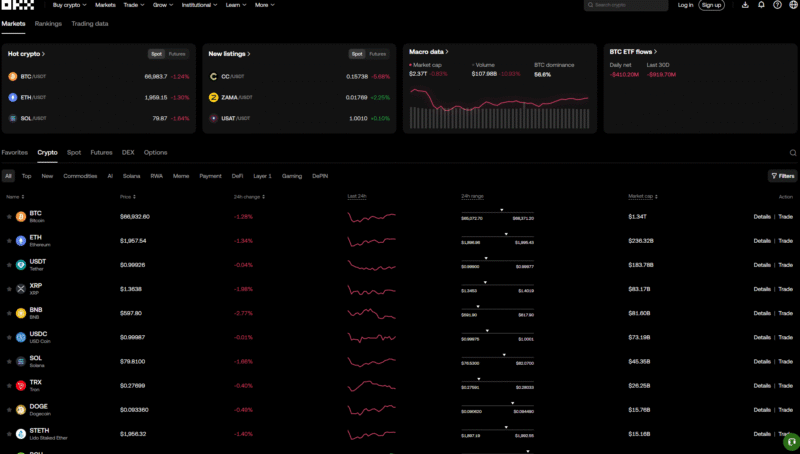
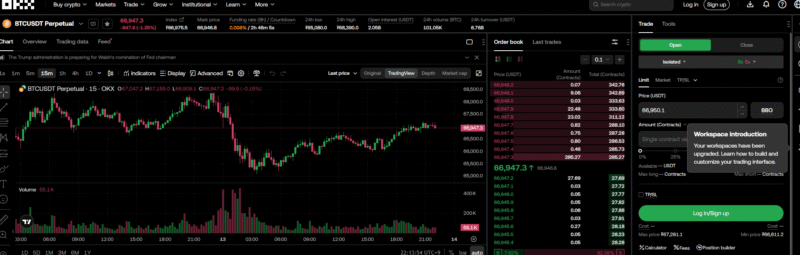
Relevant official source: Funding settlement terms. The availability and terms displayed in your account for each region take precedence.
7. Security Incidents, Regulatory History, and Proof of Reserves
What is Proof of Reserves (PoR)?
Proof of Reserves (PoR) is transparency information used to verify reserve assets corresponding to publicly disclosed user assets and whether balances are included. The official page viewed on October 23, 2026, shows the 48th report for October 2026 and $29.4 billion in major assets. This is the value of major assets in that report, not the company's total assets or enterprise value. OKX Proof of Reserves.
What does a reserve ratio of 100% or more mean?
If a hypothetical user's BTC balance is 100 BTC and reserve assets at the same reference time are 105 BTC, the simple reserve ratio is 105 ÷ 100 × 100 = 105%. Actual reserve ratios vary by asset and time, so a single figure cannot be applied as a fixed reserve ratio for all assets.
Does Proof of Reserves mean an exchange is completely safe?
PoR is not the same as a full financial audit that assesses all of a company's liabilities, legal obligations, operating expenses, and affiliated-company risks. Even if the reserve ratio is 100% or more, the risk of bankruptcy, hacking, or suspended withdrawals does not fall to zero, nor does this mean deposit insurance is provided. Check the reporting date, the scope of assets and liabilities covered, and the method used to verify the inclusion of balances.
Be cautious about the historical “95% in cold wallets” figure
The claim that “more than 95% of OKX user assets are stored in cold wallets” is widely circulated online.
However, ratios and specific storage architectures can change over time, so we do not recommend presenting a fixed figure as a current fact unless it is confirmed in the latest official documents.
Therefore, rather than asserting a specific cold wallet ratio, this article recommends checking the latest PoR and security policies published by OKX directly.
2020 Withdrawal Suspension and Resumption Announcement
OKX’s official notice dated November 6, 2020, states that digital asset withdrawals had been suspended since October 16. A notice dated November 26 says withdrawals were scheduled to resume at 08:00 UTC that same day. This distinguishes the announced suspension from the scheduled resumption time; the scheduled notice alone does not confirm that withdrawals were actually completed for all users. Notice on the Withdrawal Suspension · Notice on the Scheduled Resumption of WithdrawalsThis history is relevant to assessing the exchange’s past operational suspension risks; it does not mean that withdrawals are currently suspended.
2025 MiCA Authorization and Scope of Services in Europe
OKX’s published announcement distinguishes between obtaining MiCA authorization on January 27, 2025, and passporting its services in Europe on February 18. This was an announcement at the time concerning 28 EEA countries; the countries, products, and contracting entities currently available should be checked again in the regional terms. MiCA authorization does not mean that every product on the global platform is covered or that it compensates for market losses. OKX published announcement.
2025 U.S. Case Involving Unlicensed Money Transmission
On February 24, 2025, the U.S. Department of Justice announced that Seychelles-based operator Aux Cayes Fintech had pleaded guilty to one count of unlicensed money transmission and agreed to monetary penalties totaling more than $504 million. The announcement itemizes approximately $420.3 million in forfeiture and approximately $84.4 million in criminal fines. Original U.S. Department of Justice announcementThis case concerns a specific legal entity and past conduct in the United States. It should not be generalized to mean that operations are currently illegal in all regions, nor should the settlement be interpreted to mean that all compliance and operational risks have been resolved.
8. Earn · Jumpstart
OKX Earn is a range of products that offers opportunities to earn returns using cryptocurrency you hold without trading.
The main products include:
- Simple Earn
- On-chain Earn
- Dual Investment
However, the name Earn should not lead you to think of these as bank deposits.
How returns are generated and the risks involved vary by product.
Simple Earn
With Simple Earn Flexible, users supply cryptocurrency and connect it with borrowing demand on the platform to earn market-based returns.
According to OKX’s official explanation, the assets may be lent to borrowers or margin traders on the platform, and the yield is determined by market borrowing demand.
Flexible products generally offer the convenience of being able to redeem assets, but they do not guarantee a consistent APR.
If borrowing demand is insufficient, assets may not be lent out at certain times and may therefore earn no interest.
Most importantly, OKX’s official documentation clearly states the following:
Simple Earn is not a principal-protected product.
Therefore, it should not be categorically described as “the safest product, like a bank deposit.”
Dual Investment
Dual Investment is a structured product in which the asset received at settlement may vary depending on the price conditions at maturity, based on a set target price and maturity date.
For example, if an investor holding BTC uses the “Sell High” type, BTC may be converted to another settlement currency if the target price condition is met, and the investor may also receive the agreed return.
If the condition is not met, settlement may be made in the original asset.
Therefore, it is insufficient to describe it simply as “a product that lets you place a limit sell order and earn interest as well.”
The key risk is that if the target price is reached, the coin you wanted to keep may be converted into another asset.
OKX also states that early redemption before maturity is currently available for some Dual Investment products, but that early redemption may result in a loss depending on the redemption price.
On-chain Earn
On-chain Earn offers opportunities to earn returns through blockchain-native staking or DeFi protocols.
OKX’s official explanation describes two main types:
- Proof-of-Stake staking: Proof-of-Stake (PoS) Staking
- DeFi Protocols
With PoS staking, assets can be used in the blockchain’s validation process in exchange for rewards.
DeFi methods can use on-chain protocols for activities such as providing liquidity, lending, and borrowing.
Comparison of Earn Products
| Product | How returns are generated | Difficulty | Key risks |
|---|---|---|---|
| Simple Earn | Based on borrowing demand | Low | Yield fluctuations, platform risk |
| On-chain Earn | PoS · DeFi | Medium | Network and protocol risks |
| Dual Investment | Structured product | High | Change in settlement currency, price risk |
Rather than choosing a product solely because its APR or APY is high, it is important to first understand where the returns come from.
What Is Jumpstart?
Jumpstart is a launchpad-style service through which OKX introduces users to tokens from new blockchain projects.
OKX currently describes two main Jumpstart formats: Mining and On Sale.
Jumpstart Mining
With Mining, users can stake BTC, ETH, or another cryptocurrency specified for an event for a set period and receive tokens from a new project as rewards.
The asset that must be deposited varies by event.
Therefore, it is inaccurate to assume, as in the past, that “OKB is always required to participate in Jumpstart.”
Past events have used BTC and ETH, while other events have used OKB and BTC, for example; participation requirements have varied by project.
Jumpstart On Sale
On Sale is a format in which users who meet certain requirements acquire tokens from a new project through a specified sale method.
Unlike Mining, this is not simply a matter of staking tokens to receive rewards, so be sure to check each event’s participation price, allocation method, participation limit, and conditions.
What Matters Most About Jumpstart
Participating in Jumpstart does not guarantee a profit.
New tokens may rise sharply after trading begins, but their prices may also fall rapidly.
It is therefore advisable to check the following:
- Eligible countries and account requirements
- Whether KYC is required
- Asset to be staked
- Maximum participation limit per user
- Event period
- Token allocation method
- Reward distribution date
- Trading start time
- Whether staked assets are locked
OKX announces separate rules for each Jumpstart event, so the conditions of past projects should not be applied unchanged to a new project.
Structured Products Are Not “Safe Deposits”
Structured products such as Shark Fin have appeared in descriptions of past OKX products, but the products and names currently available vary by region and over time.
Therefore, it is inappropriate to describe a particular structured product as having “low risk,” “principal protection,” or “returns of over 20% per year” as fixed characteristics.
Assess products based on what is actually available in your account and the risk disclosures for each product.
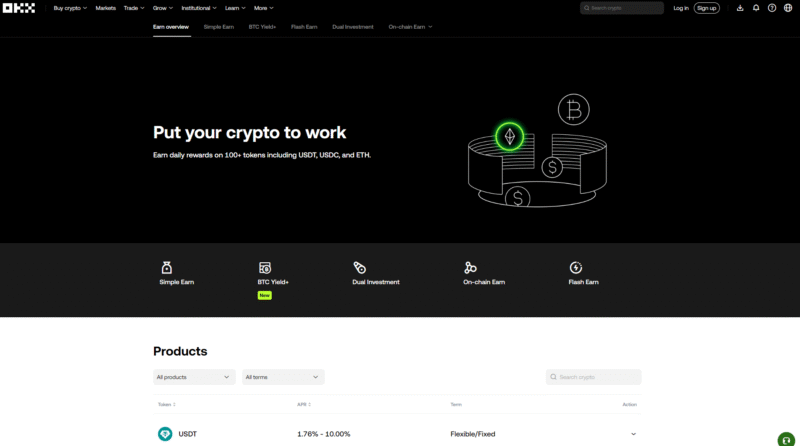
Relevant official sources: Product Availability and Risks. The availability by region and the terms shown in your account take precedence.
9. Trading Bots · Copy Trading · API · TradingView
OKX offers Trading Bot features that let users run a variety of automated strategies within the exchange.
As of 2026, the main Bots officially described include Spot Grid, Futures Grid, Spot/Futures DCA (Martingale), Smart Arbitrage, Recurring Buy, Signal Bot, Iceberg, TWAP, and Smart Portfolio.
The bot itself automates trading, but automated trading does not guarantee profits.
Trading fees and market losses still apply.
Spot Grid Bot
Spot Grid is a strategy that divides a specified price range into multiple grids and automatically repeats buy and sell orders.
For example, a grid strategy based on the assumption that BTC will stay within the range of 90,000–100,000 USDT places orders by dividing that range into price intervals. If the price moves outside the range, losses different from what you expected may occur.
- Buy when the price falls
- Sell when the price rises
Orders can be repeated.
It may be effective when prices fluctuate repeatedly in a sideways market.
Conversely, if the price moves outside the Grid range and makes a strong move in one direction, the strategy’s effectiveness may decrease significantly.
OKX states that it currently supports setting up to 1,000 Grids in Spot Grid.
Futures Grid Bot
Futures Grid applies the Grid strategy to futures.
You can configure Long, Short, or Neutral strategies, and you can also use leverage.
Unlike Spot Grid, it involves additional leverage and liquidation risks, making it much riskier.
In particular, you must consider the possibility that repeated Grid orders may cause the position size to grow larger than expected.
Signal Bot
Signal Bot is an automated trading tool that can connect trading signals from TradingView and other platforms to OKX order functionality.
OKX officially offers TradingView Integration and real-time execution as key features of Signal Bot.
When connecting TradingView signals, you should check each of the following conditions and order actions.
- RSI conditions
- Moving average crossover
- Price breakout
- Custom Pine Script strategy
Users can configure signals and execution conditions to set up automatic orders.
However, if a signal is poorly designed, incorrect orders will also be repeated automatically.
Therefore, thorough backtesting and small-scale testing are necessary before using it in live trading.
DCA (Martingale) Bot
The Martingale method is a strategy that places additional orders when losses or price declines continue, adjusting the average entry price.
OKX also offers Martingale Bots in the form of Spot DCA and Futures DCA.
One advantage is that if a rebound occurs, the lower average price can help you reach the breakeven point more quickly.
Conversely, if prices continue to fall, repeated additional orders can quickly increase the funds required and the risk of the position.
Therefore, Martingale is not a “strategy that always wins if the price rebounds someday.”
Futures Martingale in particular combines leverage with liquidation risk, so it should be used with even greater caution.
Smart Arbitrage
OKX’s Smart Arbitrage Bot is a Delta-Neutral strategy that reduces directional risk by combining opposing positions, such as spot buys and perpetual futures shorts, and takes advantage of factors such as Funding Fees.
However, the term Delta-Neutral does not mean “risk-free.”
The following risks still exist.
- Funding Rate changes
- Basis changes
- Trading fees
- Slippage
- Position imbalance
- Exchange risk
OKX provides an API environment that lets programs access features such as market data queries, order placement, and account management through REST API, WebSocket, and other interfaces.
You can use this to develop your own program or connect to an external automated trading system.
Difference between REST API and WebSocket
REST API
A method of sending a request to the server and receiving a result when needed.
Examples:
- Check current balance
- Create an order
- Cancel an order
- Check transaction history
WebSocket
A method of maintaining a connection to continuously receive real-time data.
Examples:
- Real-time order book
- Trade data
- Price changes
- Order status changes
When high-frequency data is needed, WebSocket is often more efficient than repeatedly calling REST API.
API Key security principles
The following principles are important when using an API.
- Grant only the permissions you need.
- Do not expose your API Secret in code.
- Do not upload your Key to GitHub or other platforms.
- Use an IP Whitelist whenever possible.
- Prepare for the possibility that your automated trading server may be compromised.
- Validate it first in a test environment or with a small amount.
If an API Key is exposed, its trading permissions may be abused even if your password has not been leaked.
TradingView and Signal Bot
You can also connect a strategy or Alert created in TradingView to OKX Signal Bot to automatically execute orders according to conditions.
- Moving average golden cross
- RSI conditions
- Breakout above a specified price
- Custom Pine Script strategy
When Signal Bot receives a signal that matches the conditions, it can place an order according to your settings.
However, automated trading is not a “system that makes money automatically.”
A poorly designed strategy can cause repeated losses much faster than manual trading.
What to test before automated trading
- Does the signal trigger only once?
- Is there any possibility of duplicate orders?
- What happens when a position is already open?
- What happens when a Reverse Signal occurs?
- Does Stop Loss actually work?
- What happens if the API connection is interrupted?
- What is the response plan in the event of an exchange outage?
- Is the maximum position size limited?
In automated trading, logic that limits the maximum loss in the event of an error comes first, ahead of a profitable strategy.
If the API connection fails
If an API connection error occurs in an automated trading program or external service, check the following items.
- API Key
- Secret Key
- Passphrase
- API permissions
- IP Whitelist
- Trading account settings
- API request limits
- Trading pair name
- Server time synchronization
- API version
In particular, when providing an API Key to an external service, it is important to grant only the minimum permissions required.
If a program only needs trading functionality, it is best not to grant unnecessary permissions.
Manage API security separately
Even with OTP configured properly, problems can arise if an API Key is exposed externally and has strong trading permissions enabled.
Therefore, it is best to treat regular login security and API security as separate areas.
Copy trading does not guarantee profits
Copy trading is a feature that follows another trader’s orders in your own account. First check which regions and products are supported, and don’t choose based solely on past returns. Review the maximum loss, allocation amount, leverage, profit sharing, and conditions for stopping. Differences in order timing, execution prices, and slippage mean your returns may not match those of the original trader.
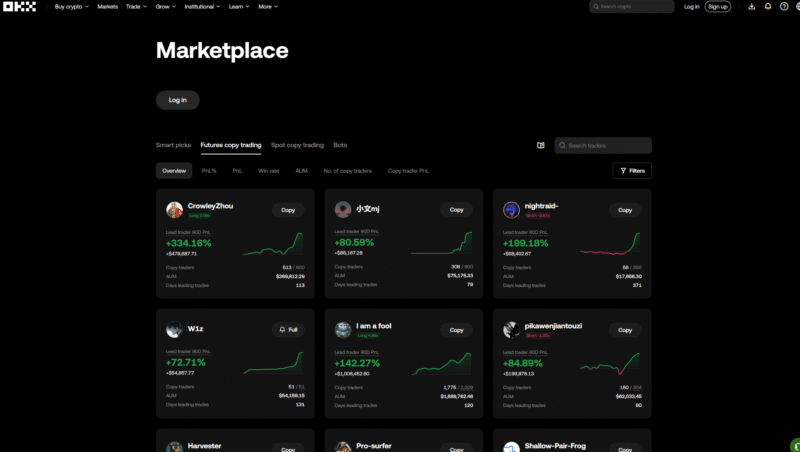
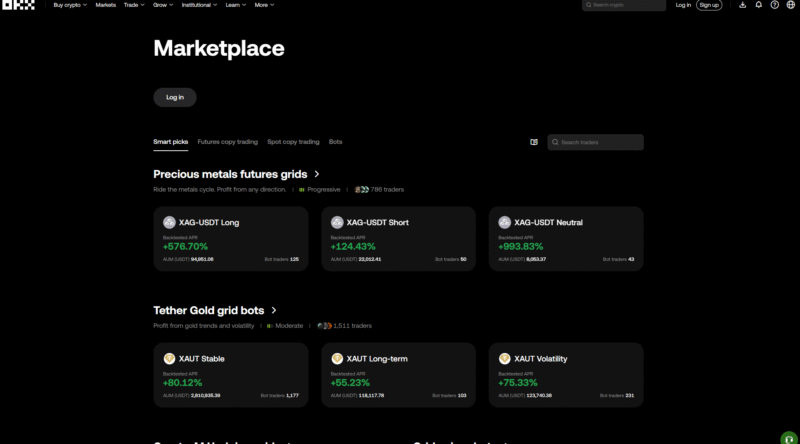
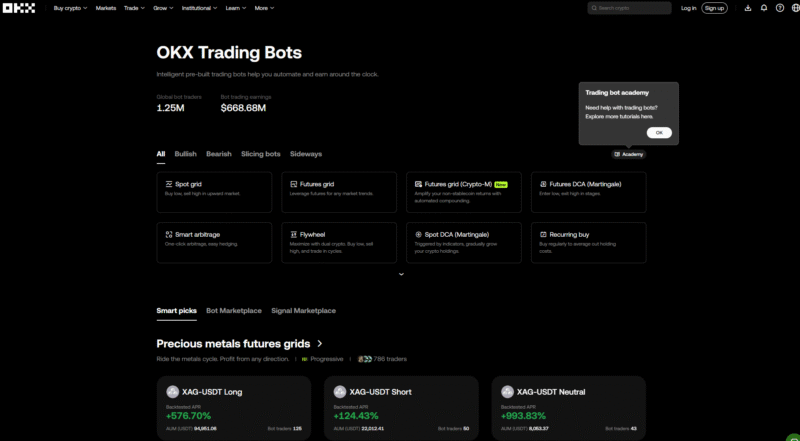
Related official reference: API documentation. Regional availability and the terms shown on your account screen take precedence.
10. Web3 Wallet, OKB, and X Layer
What is OKX Web3 Wallet?
OKX Web3 Wallet differs in nature from a standard OKX Exchange wallet, which holds assets in an exchange account.
It is a non-custodial wallet, in which users retain control of their own wallets and assets.
According to OKX’s official explanation, the private keys and seed phrases for a standard Web3 Wallet are stored on the user’s device. OKX does not hold them on the user’s behalf or arbitrarily recover lost keys.
Therefore, you should not assume that “because OKX holds it for you, you can always recover your wallet even if you lose your seed phrase.”
The key differences between Exchange and Web3 Wallet
| Category | OKX Exchange | OKX Web3 Wallet |
|---|---|---|
| Asset management | Exchange-account based | User-controlled, non-custodial |
| Private key management | Not managed directly by the user | Managed by the user |
| Trading method | CEX order book | On-chain and DEX |
| DApp usage | Limited | Available |
| DeFi access | Primarily through dedicated products | Direct on-chain access |
| Risk of losing keys | Relatively low | User bears direct responsibility |
Web3 Wallet offers greater freedom, but that also means greater responsibility for the user.
If you lose your private key or seed phrase, or grant permissions to a malicious smart contract, it can be difficult to cancel a transaction through customer support as you might with a centralized exchange.
What is OKX DEX Aggregator?
OKX Wallet includes a DEX Aggregator that compares liquidity across multiple decentralized exchanges.
When a user wants to swap a particular token, the aggregator does not use just one DEX. It compares multiple liquidity pools and trading routes to find an execution route that takes factors such as price, slippage, and fees into account.
In its official explanation published in 2026, OKX says it aggregates more than 100 DEX routes and searches for routes across more than 100,000 tokens on more than 10 chains. Supported coverage may change over time.
OKX’s X Routing algorithm compares multiple liquidity pools and, when needed, splits orders to optimize price and slippage.
Things to keep in mind when using a DEX Aggregator
Finding the optimal route does not mean there will never be a loss.
The following costs and risks may apply:
- Network gas fees
- Slippage
- Sudden price movements
- Bridge risk
- Smart contract risk
- Insufficient liquidity
- Fake tokens
- Malicious DApps
- On-chain execution risks, such as MEV
Fake tokens may have the same name and ticker, so it’s important to make a habit of checking the contract address, not just the token name.
What self-custody means
The biggest difference between assets held on OKX Exchange and those held in OKX Web3 Wallet is who is responsible for managing them.
Web3 Wallet is non-custodial, meaning users control their private keys.
This means it offers the benefit of following the traditional crypto principle of private key security: “Not your keys, not your coins”.
Conversely, users are also responsible for managing their private keys.
OKX explicitly states that it cannot recover the private keys or seed phrases for a standard Web3 Wallet on a user’s behalf.
Using DApps
You can connect to a range of decentralized services through Web3 Wallet.
Common use cases include:
- DEX trading
- DeFi
- Staking
- Lending
- NFTs
- Bridges
- Participating in on-chain projects
However, when connecting to a DApp, you should check what permissions you are granting to its smart contract.
If a malicious contract abuses permissions granted through unlimited token approval, the assets in your wallet may be at risk.
Why contract addresses matter when trading on a DEX
Unlike centralized exchanges, anyone can create tokens and liquidity pools on a DEX.
Do not assume that a token is the same asset as a well-known token just because it has the same name or ticker.
- Same name
- Same symbol
- Similar logo
Fake tokens may use the same name or ticker, so you should verify the official contract address.
If you trade a new token on a DEX, it’s a good idea to check that the project’s official contract address matches the contract address of the token you intend to trade.
What to remember about Web3 Wallet
- Never share your seed phrase with anyone.
- Do not open your seed phrase while screen sharing.
- Be cautious with links in Telegram and Discord DMs.
- Check the contract address.
- Review DApp approval details.
- Keep large holdings separate from experimental wallets.
- Check gas fees.
- When using a bridge, double-check the network.
Web3 Wallet offers greater freedom, but it also means users bear greater security responsibility than they do on a CEX.
OKB is a core utility token used in the OKX ecosystem, and its tokenomics also underwent major changes following the 2025 X Layer revamp.
Therefore, do not assume that the regular buyback-and-burn model for OKB described in older online posts still applies today.
Major changes to OKB tokenomics in 2025
In August 2025, OKX burned 65,256,712.097 OKB in a one-time event.
This included previously purchased OKB and tokens from the Treasury Reserve.
Afterward, the total supply of OKB was fixed at 21,000,000 tokens.
More importantly, the additional mint and burn functions were removed from the smart contract itself.
Therefore, it is inaccurate to use the past explanation, “OKX continues to buy OKB with a set percentage of its trading fee revenue and burn it periodically”, to describe the current tokenomics.
OKB and X Layer
OKB currently serves as the Native Token and Gas Token of X Layer.
In other words, on-chain activity on X Layer is connected to the utility of OKB.
Through the 2025 revamp, OKB on the existing Ethereum L1 was phased down, and the economic model was restructured around X Layer.
Important criteria for assessing OKB today
It is inaccurate to describe OKB simply as “OKX stock.”
Holding OKB does not grant legal ownership of OKX or shareholder rights in the company.
Therefore, the accurate way to understand it is as follows.
OKB = a utility and native token used in the OKX/X Layer ecosystem When analyzing OKB from 2026 onward, the following factors are important.
- Fixed supply of 21,000,000 OKB
- X Layer usage
- Demand for the Gas Token
- Use cases within the OKX ecosystem
- Exchange-related benefits
- Market liquidity
- Regulatory environment
Relevant official source: OKB・X Layer change announcement. Availability by region and the terms shown in your account take precedence.
11. Advanced Features and Professional Settings
Experienced investors combine multiple products rather than simply taking a single long or short position. At this stage, the way risk is calculated across the entire account becomes important.
OKX Account Modes
OKX currently offers account structures in the Spot Mode, Futures Mode, and Advanced Mode families, depending on how you intend to use the account.
In advanced environments, features such as Multi-Currency Margin and Portfolio Margin may be available.
However, as features become more complex, capital efficiency may increase while risk calculations also become more complex.
Multi-Currency Margin
Multiple crypto assets can be converted into values such as USD and used as margin, which can help improve capital utilization.
However, you need to understand the collateral eligibility rates for specific assets and the applicable risk rules.
Portfolio Margin
Rather than assessing each position independently, Portfolio Margin calculates the required margin based on the risk of the entire portfolio.
The following is a hypothetical example for illustration.
- BTC Spot Long
- BTC Futures Short
- BTC Option Position
As in this example, opposing price exposures create a different risk profile from holding only a one-way position. Risk offsetting does not eliminate the possibility of liquidation.
Portfolio Margin aims to improve capital efficiency by accounting for this risk offsetting within a portfolio.
However, it should not be understood as a way to increase leverage in order to place large directional bets.
It is better suited to professional users operating complex hedged portfolios.
Using Subaccounts
Separating accounts by strategy makes risk management easier.
For example:
You can organize subaccounts by purpose—such as long-term spot holdings, short-term trading, or bot strategies—to manage PnL and access permissions.
Sub Account D
API algorithms Dividing them this way lets you clearly track PnL by strategy and helps prevent API permissions or risks from spilling over into other strategies.
Options
On OKX, some users can use options products to build strategies targeting volatility itself, rather than simply betting on a price increase or decrease.
Call and Put options can be used for strategies such as:
- Bullish strategies
- Bearish strategies
- Strategies for increased volatility
- Strategies for decreased volatility
- Hedging spot positions
- Strategies with capped profit ranges
Options have a more complex PnL structure than futures, and factors such as expiration, strike price, implied volatility (IV), and time value affect their prices.
Therefore, experience with futures trading alone is not enough to approach options products in the same way.
When should you use a Sub-account?
Sub-accounts are useful when you need to manage different strategies or funds separately.
For example, you could set them up as follows.
Separating your main account from subaccounts dedicated to specific purposes can help you manage assets, strategies, and API permissions independently.
Sub-account 4
API automated trading This separation makes it easier to track PnL and risk for each strategy.
The number of subaccounts you can create on OKX may vary depending on factors such as your account's fee tier. Official help documentation indicates different limits for regular and VIP users, so checking the actual limit on your Fee Tier page is the most accurate approach.
Regular subaccounts may have restrictions on withdrawals, and funds may need to be transferred through the main account, so check the permissions for each account before use.
Relevant official source: Account modes・product terms. Availability by region and the terms shown in your account take precedence.
12. FAQ・Common Mistakes・Key Terms
What should you do first when trading futures on OKX for the first time?
Rather than trading live with high leverage from the start, it is best to first understand order types, Isolated/Cross, TP/SL, Mark Price, and how liquidation works.
If possible, learn the order process using Demo Trading or a very small amount.
Which is better, a market order or a limit order?
There is no universally superior order type.
A Market Order may be preferable when fast execution is important, while a Limit Order may be preferable when managing the execution price and fees is important.
Does using a limit order guarantee a Maker fee?
No.
Even a limit order can be classified as a Taker order if it is filled immediately against an existing order.
To prioritize Maker execution, you can check Post Only.
Can my stop-loss price and liquidation price be the same?
This is not recommended.
Liquidation is the exchange's last-resort risk management mechanism. It is generally more reasonable to set a Stop Loss first at the price where your investment thesis is invalidated.
If the Funding Rate is positive, will I always make money by shorting?
No.
Even if a short position receives a Funding Fee, a sharp rise in the coin's price can result in position losses far greater than the funding income.
Is a Funding Fee always charged every 8 hours?
No.
Many contracts use an 8-hour interval by default, but some may use 1-, 2-, or 4-hour intervals, so check the actual Funding Time for each contract.
Is Cross Margin better than Isolated Margin?
They serve different purposes.
Cross can be more capital-efficient, but more of your account assets may be exposed to position risk.
Isolated makes it easier to separate risk by position.
Does 100x leverage mean I will always be liquidated after a 1% move?
It cannot be calculated that simply.
Actual liquidation depends on multiple factors, including the maintenance margin rate, Mark Price, fees, position size, and account structure.
However, the fact remains that even small price movements pose a very high risk with extreme leverage such as 100x.
Is API automated trading safe?
Configuration and security matter more than the API itself.
The basics are to grant only the permissions you need, use IP restrictions, and never expose your Secret Key.
Maximum position limits and loss-limiting logic are also needed to address situations where a strategy error causes repeated orders.
Can I add a referral code later when signing up for OKX?
First, check the eligibility requirements for referral benefits during account creation. If you have already signed up, do not assume that you can add a code yourself; instead, check your account’s referral relationship and actual fees. The amount and discount rate for new benefits depend on the current sign-up page and campaign terms.
10 Common Mistakes
| Mistake to Check | Guideline |
|---|---|
| Using only Market Orders / Assuming Limit Orders are always Maker orders | They are convenient, but slippage and Taker fees can accumulate. A Limit Order that executes immediately may be treated as a Taker order. |
| Not setting a Stop Loss / Assessing liquidation based only on Last Price | Using the liquidation price instead of a stop-loss price is risky. Mark Price is important when assessing futures liquidation risk. |
| Using 50x or 100x leverage by default / Focusing only on the leverage number rather than position size | Even small price movements can result in large losses relative to your margin. The key factors in actual risk are the final position size and maximum loss. |
| Assuming Cross is always safe / Continuously adding margin to a losing position | Other account assets may also be used as margin, potentially increasing the scope of your losses. Moving the liquidation price farther away and fixing a flawed trading idea are two different things. |
| Not checking the Funding Rate / Assuming Funding Time is always every 8 hours | Accumulated funding costs can become substantial for long-term positions. Settlement intervals may vary by contract. |
| Withdrawing without checking the network / Omitting the Memo or Tag | Assets such as USDT may be available on multiple networks. Some coins may require additional identifying information besides the address. |
| Transferring a large amount at the start / Entering your name in English carelessly | When withdrawing to a new address, it is safer to make a small test transfer first. Issues may arise during identity verification or the Travel Rule process between exchanges. |
| Giving an API unnecessary permissions / Not using API IP restrictions | As a basic rule, do not enable permissions you do not need if the API is only for trading. If you use a fixed IP environment, using an IP Whitelist is better for security. |
| Logging in to phishing sites / Learning by trading with real money from the start | It is important to get into the habit of checking the official domain directly rather than using search ads or messenger links. If possible, first learn the interface through Demo Trading and small trades. |
| Thinking that averaging down is risk management / Not excluding fees from returns | Your average entry price improves, but your total exposure increases. For short-term trades, actual net profit and loss can differ significantly. |
Glossary: Orders, Prices, Margin, and PnL
This is a brief glossary to help you find relevant explanations in the main text. For actual calculations and applicable conditions, also refer to the explanations in Chapters 4, 6, and 11.
| Term | Meaning to Look Up |
|---|---|
| ADL | Auto-Deleveraging. A risk management system that automatically reduces the positions of traders on the opposite side during extreme liquidation events. |
| Ask | The price at which a seller offers to sell in the order book. |
| Bid | The price at which a buyer offers to buy in the order book. |
| Cross Margin | A method in which multiple positions share the available margin in an account. |
| Entry Price | The average price at which a position was opened. |
| FOK | Fill or Kill. If the entire order cannot be filled immediately, the entire order is canceled. |
| Funding Fee | An amount settled between long and short positions to keep perpetual futures prices in balance. |
| Funding Rate | The rate used to calculate the Funding Fee. |
| Hedge Mode | A position mode that allows long and short positions to be managed separately for the same product. |
| Iceberg Order | An algorithmic order that splits a large order into smaller orders to reduce exposure to its total size. |
| Index Price | A reference index price calculated based on the underlying asset's spot market and other factors. |
| Initial Margin | The margin required to open a position initially. |
| IOC | Immediate or Cancel. Executes only the quantity that can be filled immediately and cancels the rest. |
| Isolated Margin | A method of managing the margin for a specific position separately. |
| Last Price | The most recent price at which a trade was actually executed. |
| Leverage | A structure that allows you to hold a position with a larger notional value using a smaller amount of margin. |
| Limit Order | An order that executes at the price specified by the user or at a more favorable price. |
| Liquidation | The process by which the system forcibly reduces risk when maintenance margin requirements are not met. |
| Maker | A trader or order that adds liquidity to the order book. |
| Maintenance Margin | The minimum margin level required to maintain a position. |
| Margin | Assets used as collateral to maintain a leveraged position. |
| Mark Price | A reference price used to value derivatives positions and manage liquidation risk. |
| Market Order | An order that executes quickly at the best prices available in the current market. |
| Notional Value | The total nominal value of a position. |
| One-Way Mode | A method of managing a net position in a single direction for the same contract. |
| Open Interest | The total outstanding size of derivatives contracts that have not yet been liquidated or closed. |
| Order Book | A list showing buy and sell orders currently submitted to the market, organized by price. |
| Portfolio Margin | An advanced margin method that calculates margin requirements based on overall portfolio risk, hedging effects, and other factors. |
| Post Only | An instruction that ensures an order is placed on the order book only as a Maker order. |
| Reduce Only | An option that ensures an order can only reduce an existing position, not increase it. |
| Slippage | The difference between the expected trade price and the actual average execution price. |
| Spread | The difference between the best bid and the best ask. |
| Stop Loss | An order set to close a position when a specified loss threshold is reached. |
| Taker | A trader or order that executes immediately by taking liquidity already present in the order book. |
| Take Profit | An order that locks in profits when the target price is reached. |
| Trailing Stop | An order type that follows the price as it moves favorably and executes if the price reverses by a specified amount. |
| Trigger Price | The reference price that activates a conditional order. |
| TWAP | Time-Weighted Average Price. An algorithmic order method that executes a large order in smaller parts over a set period of time. |
| Unrealized PnL | The estimated profit or loss that has not been realized because the position has not yet been closed. |
| Realized PnL | Profit or loss confirmed by actually closing a position. |
13. Selection Criteria, Final Checklist, and Conclusion
Criteria for Comparing OKX with Other Exchanges
Rather than ranking exchanges based on a single advertised base rate, compare them by the products available in your region, deposit and withdrawal options, actual account fees, order book liquidity, and security and regulatory track records. Even if you need OKX’s unified account and automated trading features, their advantages can become risks if you do not understand how they work. For comparisons using the same criteria, see the Binance Comprehensive Guide, Bybit Comprehensive Guide, and Exchange Selection Criteria.
Basic Setup Example for Beginners
| Item | Recommended Approach |
|---|---|
| Order | Prioritize Limit orders |
| Emergency liquidation | Market |
| Margin | Keep it simple until you understand the structure |
| Leverage | Start low |
| Stop Loss | Use |
| Take Profit | Use |
| Reduce Only | Use actively for closing orders |
| API | Do not create one unless needed |
| Withdrawals | Initially, test with a small amount |
| Automated trading | Use after thorough testing |
Determine position size before leverage
Beginners often first ask, “What leverage should I use?”
But a more important question is:
Before trading, first determine the maximum loss your account can afford if the trade fails.
For example, if your account has 10,000 USDT and you decide to risk no more than 100 USDT on a single trade, calculate your position size first using the stop-loss distance.
It is much more reasonable to then choose leverage to meet the required margin level.
It is also best to start with fewer trading pairs
Rather than monitoring dozens of altcoins at once, it is better to learn the order system in relatively liquid markets such as BTC and ETH.
Low-liquidity coins can be more susceptible to the following problems:
- Wider spreads
- Increased slippage
- Sharp price movements
- Sudden changes in Funding Rate
- Increased liquidation risk
Final Checklist Before Trading
Account Security
- Set up 2FA
- Check Passkey
- Set up Anti-Phishing Code
- Do not reuse passwords
- Verify the official website
Deposits and Withdrawals
- Check the coin type
- Confirm the Network matches
- Check the address
- Check whether a Tag/Memo is required
- If it is an address you are sending to for the first time, test with a small amount
Futures Trading
- Confirm the Long/Short direction
- Check Position Size
- Check Leverage
- Check Cross/Isolated
- Check Entry Price
- Check Stop Loss
- Check Take Profit
- Check Liquidation Price
- Check Mark Price
- Check Funding Rate
- Check Funding Time
Orders
- Check Market/Limit
- Check the possibility of Maker/Taker fees
- Check whether Reduce Only is needed
- Check the TP/SL trigger basis
- Double-check the order quantity
Automated Trading
- Minimize API permissions
- IP Whitelist
- Set a maximum order quantity
- Prevent duplicate orders
- Test Stop Loss logic
- Plan for connection failures
- Complete a small-amount test
Official Sign-Up Link and Affiliate Disclosure
The official sources used to verify the information in this article are non-affiliate links. The sign-up link below includes an affiliate identifier, and CoinPop may receive compensation when eligible users sign up or trade. Check the current terms shown on the sign-up page and in your account for any benefits.
Referral identifier: COINPOP. This disclosure does not guarantee that a discount or reward currently applies.
Conclusion: Understand the Risks Before Using Available Features
When choosing OKX, first check your eligibility in your region, actual costs, deposit and withdrawal availability, and account security. Spot, derivatives, Earn, and Web3 Wallet each involve different risks, and you do not need to use every feature just because there are many of them.
Crypto assets and derivatives are high-risk products that can result in the loss of your entire principal. This article is for general information and is not personalized investment advice. First determine your available funds, experience, and acceptable loss range, and do not use products you do not understand or services that are restricted.