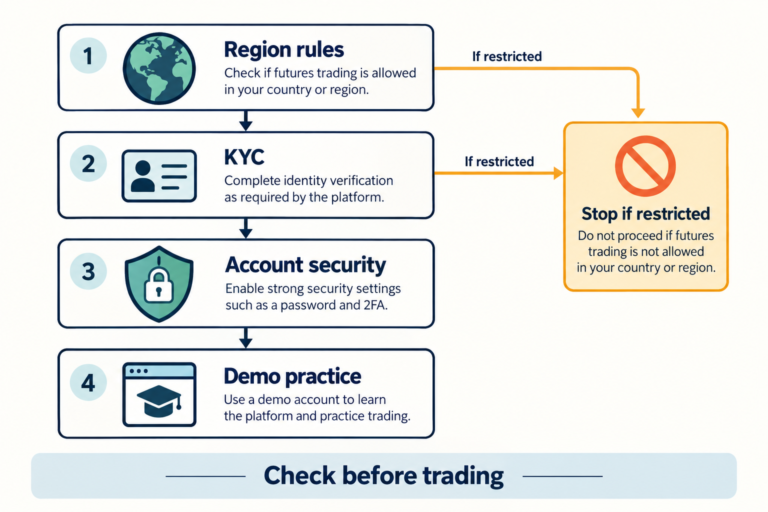

In the WOO X Pro app, request a withdrawal to an external wallet or exchange by going to Assets → Withdraw → Select asset → Send via crypto network. On the web, start from Withdraw in the account menu at the top right. Confirm that the receiving platform supports the asset and network, check the full address and available withdrawal amount, and complete the security verification requested on screen.
Even if the Withdraw button is visible, processing may vary depending on KYC, account review, open positions, and bonus conditions. This information was checked on November 1, 2026, against the official web and app withdrawal procedures; it is not an account of CoinPop having made a transfer from an actual account.
Jump to: App and web withdrawal procedures · Check available withdrawal amount and processing status · Withdrawal FAQ
Before using WOO X Pro, be sure to distinguish the general withdrawal policy from the terms of specific bonuses and partner promotions. Under the official terms, users own their supported assets and have the right to instruct external withdrawals. However, actual withdrawals may be affected by KYC level, account risk reviews, network conditions, open positions, and the terms of individual promotions.
Individual partner proposals shared with CoinPop during partnership discussions included terms linking withdrawals to the deposited amount, as well as descriptions that could be interpreted to mean that partner settlements were linked to the trading results of referred users.
However, CoinPop could not find the same structure in WOO X Pro’s publicly available general policies, nor could it independently verify cases where it had been applied to actual regular user accounts.
Therefore, this article discusses this information only as an individual proposal received by CoinPop, not as a platform-wide policy.
Editorial and partnership disclosure: As of September 4, 2026, CoinPop has no partnership with WOO X Pro, and this article contains no WOO X Pro referral links. This article does not classify WOO X Pro as a scam or an exit scam exchange. Its purpose is to provide information to check before use by distinguishing among confirmed official documents, proposals received by CoinPop, matters that have not yet been verified, and CoinPop’s own assessment.
How to withdraw from WOO X Pro: Send to an external address through the app or website
First, check the asset, supported network, deposit address, and any required Memo/Tag on the deposit screen of the receiving wallet or exchange. When sending to a domestic exchange, do not assume that “WOO X” and “WOO X Pro” are treated as the same recipient; confirm with both parties according to the guidance for Korean users below.
Make an on-chain withdrawal in the app
- Log in to the official WOO X Pro app, then open Assets at the bottom.
- Tap Withdraw and select the asset to send.
- To send to an external address, select Send via crypto network.
- Select a network supported by the receiving platform and paste the address shown on its deposit screen. Compare the entire address, not just the beginning and end, and check any required Memo/Tag.
- Enter the amount, check the available withdrawal amount, minimum amount, fee, and amount to be received on screen, then tap Withdraw.
- Review the asset, network, address, and amount on the confirmation screen, complete the security verification requested on screen, then submit the request by tapping Confirm.
Make an on-chain withdrawal on the web
- Log in to the official website, hover over the email/account menu at the top right, and select Withdraw.
- Click Withdraw for the asset you want to send, then select Send via crypto network.
- Check the network, full address, Memo/Tag, amount, and fee, then submit the request. Complete any Google Authenticator, email, or SMS verification requested on screen.
Enter verification codes directly on the official withdrawal screen; do not share them with customer support or through external messaging apps. Menu names and verification methods may vary by app version and account settings. After submitting, check the withdrawal status. If an on-chain transaction has been sent and a TXID is displayed, check both the relevant network explorer and the deposit status on the receiving platform.
When is an internal transfer different?
Send via email/phone/WOO X Pro ID is an internal transfer between WOO X Pro accounts. The official internal transfer guide distinguishes it from a blockchain transfer and says to check the record under Withdraw history or in the app at Crypto history → Withdrawal. Do not confuse this with sending to an external wallet or a domestic exchange’s blockchain deposit address.
What should you check before and after a withdrawal?
| Status / when to check | What to check and what to do next |
|---|---|
| Balance available, but available withdrawal amount is low or zero | Distinguish personal funds, bonuses, unrealized P&L, open positions and orders, and KYC or account restrictions. If you do not know the cause, do not deposit more, trade, or rush to close positions; check the applicable terms with official support. |
| Asset, network, minimum amount, and fees | Compare the current withdrawal screen on the sending platform with the deposit screen on the receiving platform. The official fee information says fees vary with network conditions and are calculated on the wallet screen, so do not assume a fixed fee. |
| Pending or Under Security Review | The official withdrawal guide says that many cases involving standard security reviews are processed within 1–24 hours. This is not a guaranteed completion time for all withdrawals, and timing may vary depending on requests for additional materials or account status. Check your registered email and existing support tickets. |
| TXID displayed after sending | Check the TXID and the transaction status on an explorer for the actual network used. Even after blockchain processing is complete, the receiving exchange may still need to confirm and review the deposit. If it has not been credited, contact the receiving platform’s customer support. |
Date checked: November 1, 2026 (KST). The procedures and status guidance above consolidate the official withdrawal, internal transfer, and fee documents. Also check the existing terms below regarding available withdrawal amounts and bonus clawbacks. For further status-specific checks, see the Guide to Checking Cryptocurrency Exchange Withdrawal Delays and Errors.
Key summary: What is confirmed and what remains unverified
| Item checked | Current verification status | What users should understand |
|---|---|---|
| Ownership and withdrawal of general assets | Confirmed in the WOO X Pro User Agreement | Supported assets are described as user-owned, but withdrawal processing may be restricted due to outages, KYC, risk management, legal requirements, or other policies. |
| Withdrawal and trading features by KYC level | Confirmed in official KYC documents | The guidance states that Level 0 does not allow withdrawals, Level 1 allows withdrawals of up to 0.5 BTC per day with limited features, and Level 2 is required for full trading functionality. |
| Futures Credit and Bonus rules | Confirmed in official Futures Rewards documents | The bonus itself, personal funds, and realized profits generated using the bonus have separate conditions and must be distinguished. |
| Proposal for withdrawal limits linked to deposit amount | Individual proposal received by CoinPop | The same formula could not be found in public general policies, so it cannot be stated that it applies to all users. |
| Description of partner settlements linked to user trading results | Individual proposal received by CoinPop | The same structure was not found in the public Affiliate Guide, and the applicable users, period, and calculation method have not been independently verified. |
| Direct deposits and withdrawals between Upbit, Bithumb, and WOO X Pro | Inconsistencies in names and support status across official sources | Do not assume WOO X and WOO X Pro are the same recipient; confirm with both platforms on the day of the transfer. |
Bottom line: “Being unable to withdraw the bonus itself,” “having the remaining bonus reclaimed upon transfer,” “the available withdrawal amount temporarily being zero because of an open position involving a bonus,” and “the total withdrawal limit for personal funds and realized profits being linked to the deposit amount” are separate conditions. Check each of these four points separately before signing up or depositing.
What is WOO X Pro? Don’t confuse it with WOO X
WOO X Pro’s official transition notice explains that the former NovaEX rebranded to WOO X Pro in December 2025. It said account balances, futures positions, security settings, KYC data, trading records, and existing referral and partnership relationships would be maintained during the transition.
However, WOO X Pro and WOO X have very similar names. Domestic exchanges may list “WOO X” among their supported deposits and withdrawals, while WOO X Pro’s official transition document describes “NovaEX → WOO X Pro.” Do not assume that the accounts, operating entities, address systems, or Travel Rule integrations of the two platforms are the same just because their names are similar.
- The browser address is the one listed in the official documentation
wooxpro.comVerify that. - Check whether the exact platform name displayed by the depositing or withdrawing exchange is WOO X or WOO X Pro.
- Provide Customer Support with the domain, account holder name, asset, and network, and ask them to confirm support in writing.
Asset ownership and general withdrawal principles under the official terms
WOO X Pro User Agreement states that ownership of supported assets remains with the user and is not transferred to WOO X Pro. It also provides that users may instruct WOO X Pro to withdraw supported assets to an external blockchain address.
However, this does not guarantee that withdrawals will always be processed immediately. Under the terms, withdrawal and trading limits may vary depending on the account balance, completed identity verification steps, and other factors, and may be affected by system outages, network protocols, blockchain processing times, legal requirements, and risk management policies. You should also bear in mind that WOO X Pro is a custodial account in which it manages the private keys.
- Asset ownership: The official terms state that supported assets belong to the user.
- Withdrawal instructions: Users may instruct WOO X Pro to send supported assets to an external address.
- Applicable conditions: KYC, account limits, legal requirements, risk management, and system and network conditions apply.
- Limits of protection: The terms state that digital assets are not covered by deposit or securities protections such as those provided by the U.S. FDIC or SIPC.
- Test transfers: The terms themselves recommend making a small test transfer before sending a large amount.
Therefore, do not conclude that an account review or temporary withdrawal delay is necessarily a restriction tied to a specific promotion. Conversely, do not interpret the statement that “assets belong to the user” to mean that you can skip checking KYC, bonus positions, or the terms of individual events.
Futures Credit, Vouchers, and Trading Bonuses Are Different
The official WOO X Pro Futures Rewards guide distinguishes Futures Credit, Futures Vouchers, and Trading Bonuses from cash-like assets deposited by individuals. Do not judge whether a reward can be withdrawn based on its name alone.
| Category | Same as an individual deposit? | Key withdrawal conditions |
|---|---|---|
| Supported assets deposited by an individual | Assets owned by the user in principle | Subject to KYC, account reviews, network conditions, and applicable policies |
| Futures Credit | No | The Credit itself cannot be withdrawn. According to the official guide, realized profits from Credit trades are treated as real capital and can be withdrawn. |
| Futures Voucher | No | Separate Voucher Mode, supported pairs, activation and position closing times, and campaign terms apply. |
| Trading Bonus | No | May be used for margin, fees, funding fees, and losses, but the bonus itself cannot be withdrawn. |
| Realized profits generated using a reward | Real capital according to the official guide | Described as withdrawable, but open positions, bonus clawback rules, and individual campaign terms must also be checked. |
Four Things That Are Easy to Miss About Trading Bonuses
- Clawback on transfers: If you transfer funds, including realized profits, out of your Futures account, any remaining Trading Bonus may be clawed back.
- Leverage limit: Positions opened using only bonus funds are limited to a maximum of 5x leverage according to the official guide.
- Validity period: The standard validity period is generally stated as 21 days, but campaign-specific terms take precedence.
- Open positions and withdrawable amount: Under certain conditions, when you hold a position that uses a bonus and your additional deposit is less than the margin, the withdrawable amount may be shown as 0. The official document advises closing open positions first in order to withdraw.
When a bonus expires, the reduced margin may increase the risk of a margin call or liquidation. It is more important to check the usage period, clawback conditions, withdrawal timing, and liquidation risk before considering the amount awarded.
10 Things to Confirm in Writing Before Joining a Deposit Promotion
Promotional copy such as “Receive additional trading funds when you deposit 10,000 USDT” is not enough to determine the actual value of an event. We recommend asking Official Customer Support the questions below and keeping a record of the date, ticket number, terms URL, and screenshots.
- When can I withdraw the principal I deposited?
- Are withdrawals restricted only for bonuses, or do restrictions also apply to the principal or realized profits?
- Are there conditions for withdrawing realized profits, such as trading volume, holding period, or closing positions?
- When withdrawing or transferring internally, is only the remaining bonus balance forfeited?
- What is the exact formula for calculating the maximum withdrawable amount?
- If withdrawal restrictions are linked to the deposit amount, losses, or trading volume, what is the applicable period and which accounts are covered?
- Do the terms vary based on KYC level and country of residence?
- What is the official event URL and version of the terms where these conditions can be confirmed?
- If I withdraw from the promotion early, how will the principal, bonus, and realized profits each be treated?
- What is the dispute resolution procedure in the event of a calculation error or dispute?
Individual Partner Proposal Shared with CoinPop and Unverified Details
While considering a collaboration related to WOO X Pro, CoinPop received separate partner terms. The explanation at the time included details that could be interpreted as linking certain deposit conditions to the withdrawable amount, as well as linking the trading results of referred users to partner settlements.
However, as of September 4, 2026, CoinPop could not verify a withdrawal formula or settlement structure matching that proposal in the User Agreement, the Futures Rewards guide, or the Affiliate Management Guide it reviewed. The public Affiliate Guide provides information on commission and cashback rates, sub-partners, trading volume and deposit/withdrawal history, and daily settlements, among other things. This alone does not substantiate the structure of the individual proposal CoinPop received.
CoinPop also could not independently verify any cases in which the same terms applied to actual regular user accounts, the countries covered, the campaigns targeted, or the applicable period. Therefore, this is not a claim that the policy applies generally to all WOO X Pro users. The possibility that it was a proposal limited to a specific partner or campaign cannot be ruled out.
CoinPop’s current position: We are not proceeding with this type of partnership because we could not adequately verify through public documents who the terms apply to, the precise formula, the applicable period, user notifications, or the dispute resolution process. If WOO X Pro or a relevant partner provides verifiable official terms and supporting evidence, CoinPop may correct or update this document based on those materials.
KYC Levels: Two Official Guides Differ, So Reconfirm Before Depositing
The official KYC Tutorial states that Level 0 accounts cannot withdraw, while Level 1 supports deposits, cryptocurrency purchases and sales, and withdrawals of up to 0.5 BTC per day, but does not allow access to regular trading features. It explains that Level 2 is required for spot and futures trading and higher deposit and withdrawal limits.
| KYC level | Information in the official KYC Tutorial |
|---|---|
| Level 0 | Withdrawals not available |
| Level 1 Starter | Deposits, withdrawals of up to 0.5 BTC per day, and cryptocurrency purchases and sales are available. Regular trading features are described as unavailable. |
| Level 2 | Required for full functionality, including spot and futures trading, and higher deposit and withdrawal limits. |
However, the official Beginner's Guide states that market information, deposits, and trading are available without KYC, while KYC is required for withdrawals. In other words, the two published official documents do not agree on the scope of available trading.
Due to this discrepancy, CoinPop does not present either statement as a definitive rule. If you plan to trade spot or futures or make a withdrawal, confirm before depositing whether you can complete Level 2 and check the current limits shown for your account. If there is a discrepancy, obtain a response through an official support ticket. The 0.5 BTC figure is the value currently shown in the KYC Tutorial and may change.
For Korean Users: Why You Should Not Make Assumptions About Upbit and Bithumb Travel Rule Requirements
Promotional withdrawal conditions and the Travel Rule are separate matters. The fact that a withdrawal is delayed does not establish whether it is due to a bonus restriction or a KYC, AML, or Travel Rule check.
| Official source | Information checked on September 4, 2026 | Safe interpretation |
|---|---|---|
| WOO X Pro Korea Travel Rule Guide | States that it supports compatible Korean exchanges and the processing of Travel Rule-related sender and recipient information, but the current public page does not list specific exchanges. | Check separately whether the other exchange is currently compatible. |
| Upbit official VASP list | As of August 27, 2026, WOO X and WOO X Pro could not be found on the list of overseas VASPs that are integrated with the Travel Rule, support account-holder verification, and have passed risk assessment. | Cannot be conclusively identified as an exchange officially integrated with Upbit. |
| Bithumb’s official list of exchanges that support deposits and withdrawals | As of April 30, 2026, “WOO X” is listed as a CODE-supported exchange, but there is no separate listing under the name “WOO X Pro.” | Do not transfer funds without confirming that both names are treated as the same deposit and withdrawal destination. |
Upbit explains that withdrawals to other VASPs not on its list are limited to less than KRW 1 million for individual members only and require registering the withdrawal address. This is different from WOO X Pro being an exchange integrated with Upbit’s Travel Rule or account-holder verification. Check WOO X Pro information, Upbit VASP list, and Bithumb’s official list together.
Checklist before transferring funds to a Korean exchange
- On the day of the transfer, provide both customer support teams with the exact platform name and domain and confirm whether transfers are supported.
- Confirm that the KYC English names and dates of birth on both accounts match.
- Confirm that the networks match exactly, even when the asset is the same.
- Do not omit the Memo or Tag for assets that require one, such as XRP or XLM.
- Confirm whether address registration or proof of deposit source is required, even for amounts below KRW 1 million.
- After both sides confirm, first test with the minimum amount using a supported asset and network.
WOO X Pro futures fees: calculation for a 10,000 USDT position
The default rates in the official WOO X Pro futures fee information are Maker 0.020% and Taker 0.060%. Fees apply to the full notional value of the position, not the margin, and are charged separately on entry and exit.
| Order type | Default fee rate | 10,000 USDT entry | Round-trip total for the same position size |
|---|---|---|---|
| Limit order (Maker) | 0.020% | Maker entry fee calculation: 10,000 × 0.0002 = 2 USDT | Approximately 4 USDT |
| Market order (Taker) | Default Taker fee rate: 0.060% | Taker entry fee calculation: 10,000 × 0.0006 = 6 USDT | Approximately 12 USDT |
This calculation is a simplified example that assumes a notional value of 10,000 USDT for both entry and exit, with no price change. It does not include funding fees, spreads, slippage, liquidation costs, or VIP and promotional discounts. The official documentation explains that funding may be settled separately between long and short traders every 8 hours.
For example, if you use 10x leverage on 1,000 USDT of margin to open a 10,000 USDT position, the fee is calculated based on the 10,000 USDT notional value, not 1,000 USDT. For a comparison of costs, liquidity, and security standards across other platforms, you can also refer to CoinPop’s global cryptocurrency exchange rankings and selection criteria and Bybit and Bitget futures fee comparison.
Additional considerations for global users
Availability, KYC documents, spot and futures offerings, and consumer protection rules may vary by country. The fact that an identity document appears on the KYC document list does not mean that all products can be used legally in that country.
- Immediately before signing up, check the latest restricted regions and eligibility requirements in the User Agreement.
- Do not circumvent regional restrictions using a VPN, a false address, or another person’s identity.
- Check restrictions separately based on your nationality, actual place of residence, and tax residency.
- Check whether the permitted scope is the same for each product, such as spot, futures, and copy trading.
- Before depositing, confirm that you can complete KYC and check the withdrawal limits.
- Check the contracting party, governing law, dispute resolution procedures, and scope of local consumer protections.
What to do first if you have a withdrawal problem
- Do not make additional deposits or trades before you know the cause.
- Capture the withdrawal error message, total balance, available withdrawal amount, and time information.
- Distinguish between personal funds, bonuses, unrealized PnL, and realized PnL.
- Check whether any open positions or unfilled orders remain.
- Ask official support whether the issue is related to KYC, risk review, bonus clawback, network maintenance, or an address or Memo error.
- Keep the support ticket number, the full text of the response, and the event page and terms URLs.
- If you have already transferred funds, keep the TXID, network, destination address, and Memo/Tag.
- If someone on an external messaging app asks you to “deposit more to unlock your withdrawal,” do not comply; use customer support on the official domain only.
Legitimate exchange customer support, including WOO X Pro, has no reason to ask for your password, 2FA code, or wallet seed phrase. Do not provide this information to anyone.
Final 8-step checklist before signing up or depositing
- Confirm that the access domain is exactly
wooxpro.com. - Check whether your country and place of residence are currently restricted.
- Before depositing, check the required KYC level and withdrawal limits.
- Distinguish the terms for personal principal, Futures Credit, Voucher, Trading Bonus, and realized profits.
- Confirm in writing the promotion’s trading volume, validity period, leverage, clawback terms, and withdrawal calculation.
- Confirm whether the receiving exchange currently supports the exact platform “WOO X Pro.”
- Add up funding fees, spreads, and slippage in addition to trading fees.
- Before entrusting a large amount, verify in order with a small deposit, a small trade, and a small withdrawal.
Frequently asked questions
Where is the withdrawal menu in the WOO X Pro app?
Under Assets → Withdraw, select an asset and choose Send via crypto network to transfer it to an external address. Distinguish this from internal transfers sent by email, phone number, or WOO X Pro ID, and verify the network and full address before submitting the request.
What should I do if I have a balance but the available withdrawal amount is 0?
Your total balance and available withdrawal amount may differ. Check your personal funds, bonuses, open positions, unfilled orders, KYC, and account restrictions, and ask official support why the restriction applies. Do not deposit or trade more to unlock withdrawals without confirming the reason.
Will a withdrawal be processed within 24 hours if “Under Security Review” appears?
The 1–24 hour estimate in the official guidance refers to many ordinary security review cases; it is not a guaranteed processing time for every withdrawal. Check your registered email for requests for additional information. If the review exceeds the stated period or there is another reason, follow up on your existing support ticket. Repeatedly submitting multiple tickets does not speed up the review.
Are WOO X Pro and WOO X the same exchange?
WOO X Pro’s official documentation states that NovaEX was rebranded as WOO X Pro. By contrast, domestic exchange support lists use the name “WOO X.” Do not assume that the two platforms have the same accounts, operating entity, or Travel Rule integration without official confirmation.
Can WOO X Pro bonuses be withdrawn?
According to the official guidance, Futures Credit and Trading Bonus themselves are not withdrawable cash-equivalent assets. It states that realized profits generated using these rewards can be withdrawn, but you should also check open positions, bonus clawbacks, and the terms of each individual campaign.
Will my bonus disappear if I transfer funds?
The official Trading Bonus information states that transferring funds out of a Futures account may result in the remaining bonus being clawed back. This is different from forfeiting personal principal, so distinguish your personal funds from your bonus balance before transferring.
Can I withdraw directly from WOO X Pro to Upbit?
As of August 27, 2026, WOO X and WOO X Pro could not be found on Upbit’s official list of supported VASPs. The withdrawal-address registration process for transfers under KRW 1 million to other VASPs is different from formal Travel Rule integration. On the day of the transfer, confirm with both Upbit and WOO X Pro using the exact platform name, amount, address, and network, and check whether they are supported.
Does the WOO X supported by Bithumb refer to WOO X Pro?
WOO X appears on Bithumb’s official list, but the name WOO X Pro is not listed separately. Do not send assets without official confirmation that both names are treated as the same deposit and withdrawal destination.
Is WOO X Pro a scam exchange?
This article does not reach that conclusion. Its purpose is to distinguish public official policies from individual partnership proposals received by CoinPop and to transparently disclose confirmed facts and aspects that could not be independently verified.
Why did CoinPop not proceed with a partnership with WOO X Pro?
CoinPop found it difficult to sufficiently verify the withdrawal terms and partner settlement structure of the individual proposal it received using public official documentation. CoinPop may reconsider its decision if the terms’ scope, calculation method, duration, and user protection procedures can be confirmed.
What are WOO X Pro’s default futures fees?
The default rates in the official information checked on September 4, 2026, are Maker 0.020% and Taker 0.060%. These may vary based on VIP status, account conditions, and policies, so check your actual account screen before placing an order.
Final assessment
WOO X Pro’s official documents apply different rules to regular assets, Futures Credit, Voucher, Trading Bonus, and realized profits. The statement “bonuses cannot be withdrawn” should not be interpreted to mean that personal principal cannot be withdrawn, and conversely, short promotional copy should not be taken as proof that all realized profits can be withdrawn without any conditions.
CoinPop has not confirmed that the individual partnership proposal it received was consistent with the public general policies, and it could not sufficiently verify the settlement structure and withdrawal terms. For this reason, CoinPop is not proceeding with a WOO X Pro partnership at this time. This is not a determination that WOO X Pro’s overall service is risky; it is an editorial decision to distinguish unverified proposals from official policies so readers can make their own assessments.
Official sources and verification dates
- WOO X Pro: NovaEX Rebranding Announcement — Updated February 19, 2026
- WOO X Pro User Agreement — Updated July 10, 2026
- WOO X Pro Futures Rewards Guide — Updated July 15, 2026
- WOO X Pro KYC Tutorial — Updated February 13, 2026
- WOO X Pro Beginner's Guide — Updated December 17, 2025
- WOO X Pro Futures Fee Calculation Guide — Updated February 20, 2026
- WOO X Pro Affiliate Management Guide — Updated April 13, 2026
- WOO X Pro Korea Travel Rule Guide — Updated August 18, 2026
- Upbit VASP List for Deposits and Withdrawals — As of August 27, 2026
- Bithumb Exchange List for Deposits and Withdrawals — As of April 30, 2026
Existing policy/proposal verification date: September 4, 2026 (KST). Withdrawal procedure and status-specific verification criteria supplemented: November 1, 2026 (KST). Exchange policies, KYC limits, supported countries, fees, and promotion terms may change. Recheck the official terms and your account screen immediately before signing up, depositing, trading, or withdrawing.